
 資料結構
資料結構 網路
網路 關係資料庫管理系統
 作業系統
作業系統 Java
Java MS Excel
 iOS
iOS HTML
HTML CSS
CSS Android
 Python
 C 程式設計
 C++
C++ C#
C# MongoDB
 MySQL
MySQL Javascript
 PHP
PHP 物理學
物理學 化學
化學 生物學
生物學 數學
數學 英語
英語 經濟學
經濟學 心理學
心理學 社會學
社會學 時尚研究
時尚研究 法律研究
法律研究獲取與 tkinter 文字小部件關聯的所有標籤
Tkinter 是 Python 中一個流行的 GUI 工具包,它提供了一個通用的 Text 小部件,允許開發人員在其應用程式中顯示和編輯文字。Tkinter Text 小部件的一個強大功能是它能夠將標籤應用於特定範圍的文字。Tkinter 中的標籤提供了一種將元資料或格式資訊與文字的一部分相關聯的方法,從而可以建立動態和互動式的使用者介面。在本文中,我們將重點介紹 Tkinter Text 小部件中標籤的概念。
瞭解 Tkinter 中的標籤
在 Tkinter 中,標籤本質上是一個命名實體,可以與 Text 小部件內的一段文字相關聯。標籤使開發人員能夠應用格式、定義行為或對文字的特定部分進行分類。雖然 Text 小部件本身沒有固有的標籤,但您可以在執行時動態建立和管理它們。
向文字新增標籤
要向一段文字新增標籤,可以使用 tag_add 方法。此方法需要標籤名稱以及要標記的文字範圍的起始和結束索引。讓我們考慮一個示例 -
示例
# importing necessary libraries
import tkinter as tk

def add_tag(text_widget, start_index, end_index, tag_name):
   text_widget.tag_add(tag_name, start_index, end_index)

# Create a Tkinter window
root = tk.Tk()
root.title("Adding Tags to Text")
root.geometry("720x250")


# Create a Text widget
text_widget = tk.Text(root)
text_widget.pack()

# Insert some text into the Text widget
text_widget.insert(tk.END, "This is some text. Click here to highlight.")

# Add a tag to a specific range of text
add_tag(text_widget, "1.0", "1.4", "tag1")

# Start the Tkinter event loop
root.mainloop()
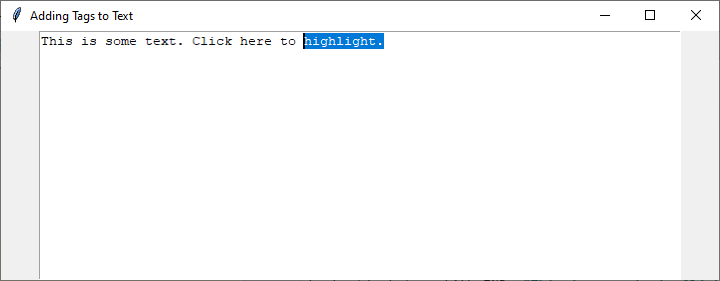
在此示例中,add_tag 函式用於將名為“tag1”的標籤新增到從索引“1.0”到“1.4”的文字範圍。然後將標籤與文字的這部分相關聯。
輸出
執行程式碼後,您將獲得以下輸出視窗 -
檢索標籤
要檢索與 Text 小部件關聯的所有標籤,可以使用 tag_names 方法。此方法返回一個元組,其中包含小部件中所有標籤的名稱。以下是一個示例 -
示例
# importing necessary libraries
import tkinter as tk

def get_all_tags(text_widget):
   all_tags = text_widget.tag_names()
   return all_tags

# Create a Tkinter window
root = tk.Tk()
root.title("Retreiving Tags")
root.geometry("720x250")

# Create a Text widget
text_widget = tk.Text(root)
text_widget.pack()

# Insert some text into the Text widget
text_widget.insert(tk.END, "This is some text. Click here to highlight.")

# Add a tag to a specific range of text
text_widget.tag_add("tag1", "1.0", "1.4")

# Get all tags associated with the Text widget
all_tags = get_all_tags(text_widget)
print("All tags:", all_tags)

# Start the Tkinter event loop
root.mainloop()
輸出
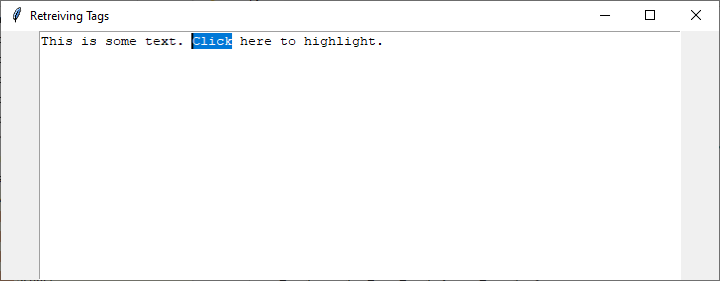
在此示例中,get_all_tags 函式檢索並列印與 Text 小部件關聯的所有標籤。
應用多個標籤
開發人員通常需要將多個標籤應用於同一 Text 小部件內不同範圍的文字。這可以透過多次使用 tag_add 方法並使用不同的標籤名稱和文字範圍來實現。
考慮以下示例 -
示例
# importing necessary libraries
import tkinter as tk

def get_all_tags(text_widget):
   # Get all tags in the Text widget
   all_tags = text_widget.tag_names()
   return all_tags

def add_tag(text_widget, start_index, end_index, tag_name):
   # Add a tag to a specified range of text in the Text widget
   text_widget.tag_add(tag_name, start_index, end_index)

# Create a Tkinter window
root = tk.Tk()
root.title("Adding Multiple Tags")
root.geometry("720x250")

# Create a Text widget
text_widget = tk.Text(root)
text_widget.pack()

# Insert some text into the Text widget
text_widget.insert(tk.END, "This is TutorialsPoint.com.")

# Add tags to different ranges of text
add_tag(text_widget, "1.0", "1.4", "tag1")
add_tag(text_widget, "1.20", "1.25", "tag2")
add_tag(text_widget, "1.30", "1.37", "tag3")

# Get all tags associated with the Text widget
all_tags = get_all_tags(text_widget)
print("All tags:", all_tags)

# Start the Tkinter event loop
root.mainloop()
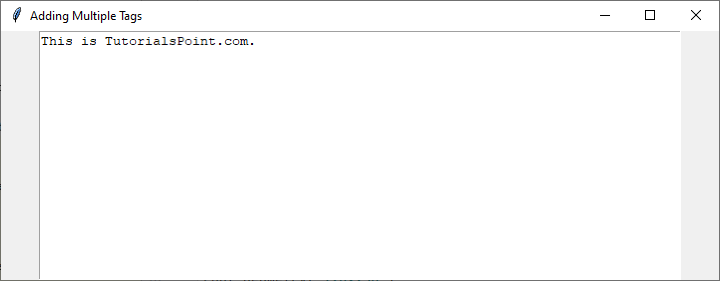
在此示例中,三個不同的標籤(tag1、tag2 和 tag3)被新增到 Text 小部件內特定範圍的文字中。然後,get_all_tags 函式檢索並列印與 Text 小部件關聯的所有標籤。您可以根據您的具體用例自定義範圍和標籤。
輸出
執行程式碼後,您將看到以下輸出視窗 -
結論
Tkinter 的 Text 小部件及其標籤系統可以幫助開發人員建立動態和互動式的使用者介面。標籤為格式化、分類內容以及響應使用者互動提供了靈活性。透過掌握標籤的新增和檢索,開發人員可以釋放 Tkinter 的全部潛力,增強其基於文字的應用程式的功能。

670 次瀏覽
