
 資料結構
資料結構 網路
網路 關係資料庫管理系統 (RDBMS)
 作業系統
作業系統 Java
Java MS Excel
 iOS
iOS HTML
HTML CSS
CSS Android
 Python
 C語言程式設計
 C++
C++ C#
C# MongoDB
 MySQL
MySQL Javascript
 PHP
PHP 物理學
物理學 化學
化學 生物學
生物學 數學
數學 英語
英語 經濟學
經濟學 心理學
心理學 社會學
社會學 服裝設計
服裝設計 法學
法學在Selenium中如何透過多個類名查詢div元素?
我們可以透過多個類名查詢元素。如果一個元素的class屬性設定了多個值,這些值用空格隔開,則稱為複合類名。
讓我們看看具有複合類名的網頁元素的HTML程式碼:

如果我們同時使用toc和chapters這兩個值作為類名定位符,將會出現異常。相反,規則是類名定位符只能有一個class屬性值。
語法
WebElement l = driver.findElement(By.className("toc"));
//Invalid locator value with className locator
WebElement l = driver.findElement(By.className("toc chapters"));
示例
import org.openqa.selenium.By;
import org.openqa.selenium.WebDriver;
import org.openqa.selenium.WebElement;
import org.openqa.selenium.chrome.ChromeDriver;
public class ClssLocator{
   public static void main(String[] args) {
      System.setProperty("webdriver.chrome.driver",
         "C:\Users\ghs6kor\Desktop\Java\chromedriver.exe");
      WebDriver driver = new ChromeDriver();
      //launch URL
      driver.get("https://tutorialspoint.tw/about/about_careers.htm/");
      //identify element with className having compound classes
      WebElement l = driver.findElement(By.className("toc"));
      //verify if element is displayed
      boolean b = l.isDisplayed();
      System.out.println(b);
      driver.quit();
   }
}
輸出
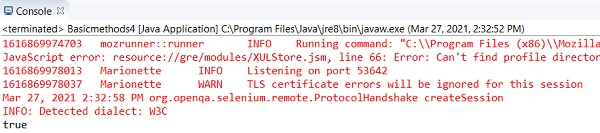
使用css定位符,我們可以使用為class屬性設定的所有值。方法是將所有值用點(.)連線起來,並在css表示式的開頭也新增一個點(.)。
語法
WebElement l = driver.findElement(By.cssSelector(".toc.chapters"));示例
import org.openqa.selenium.By;
import org.openqa.selenium.WebDriver;
import org.openqa.selenium.WebElement;
import org.openqa.selenium.chrome.ChromeDriver;
public class CssSelectorLocator{
   public static void main(String[] args) {
   System.setProperty("webdriver.chrome.driver",
         "C:\Users\ghs6kor\Desktop\Java\chromedriver.exe");
      WebDriver driver = new ChromeDriver();
      //launch URL
      driver.get("https://tutorialspoint.tw/about/about_careers.htm/");
      //identify element with css having compound classes
      WebElement l = driver.findElement(By.cssSelector(".toc.chapters"));
      //verify if element is displayed
      boolean b = l.isDisplayed();
      System.out.println(b);
      driver.quit();
   }
}
輸出
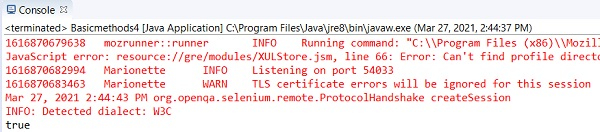
使用css和xpath定位符,我們可以透過使用class作為屬性,然後將整個class值用引號括起來,來包含class屬性的所有值。
語法
WebElement l = driver.findElement(By.xpath("//ul[@class='toc chapters']"));
WebElement m = driver
.findElement(By.cssSelector("ul[class='toc chapters']"));
示例
import org.openqa.selenium.By;
import org.openqa.selenium.WebDriver;
import org.openqa.selenium.WebElement;
import org.openqa.selenium.chrome.ChromeDriver;
public class XpathLocator{
   public static void main(String[] args) {
      System.setProperty("webdriver.chrome.driver",
         "C:\Users\ghs6kor\Desktop\Java\chromedriver.exe");
      WebDriver driver = new ChromeDriver();
      //launch URL
      driver.get
      ("https://tutorialspoint.tw/about/about_careers.htm/");
      //identify element with xpath having compound classes
      WebElement l = driver.findElement(By.cssSelector("ul[class='toc chapters']"));
      //verify if element is displayed
      boolean b = l.isDisplayed();
      System.out.println(b);
      driver.quit();
   }
}
輸出
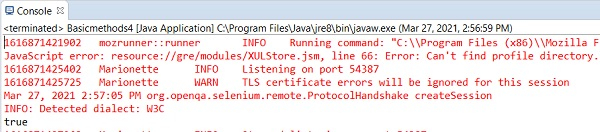

更新於:2021年4月7日
9K+ 次瀏覽

廣告