
 資料結構
資料結構 網路
網路 關係型資料庫
 作業系統
作業系統 Java
Java MS Excel
 iOS
iOS HTML
HTML CSS
CSS Android
 Python
 C 程式設計
 C++
C++ C#
C# MongoDB
 MySQL
MySQL Javascript
 PHP
PHP 物理
物理 化學
化學 生物
生物 數學
數學 英語
英語 經濟學
經濟學 心理學
心理學 社會學
社會學 時尚研究
時尚研究 法律研究
法律研究使用元 HTML 標籤停用瀏覽器快取
在 HTML 中使用 <meta> 標籤停用瀏覽器快取時,請使用以下程式碼 −
<meta http-equiv="Cache-Control" content="no-cache, no-store, must-revalidate" />
<meta http-equiv="Pragma" content="no-cache" />
<meta http-equiv="Expires" content="0" />
HTML 允許您透過多種方式指定元資料——有關文件的其他重要資訊。元元素可用於包含描述 HTML 文件屬性的成對名稱/值,例如作者、到期日期、關鍵詞列表、文件作者等。
<meta> 標籤用於提供此類附加資訊。此標籤是空元素,因此沒有結束標籤,但它在屬性中攜帶資訊。
示例
讓我們看一個簡單的例子。我們已經輸入了 meta http equiv 以停用瀏覽器快取 −
<!DOCTYPE html>
<html lang="en">
<head>
   <meta charset="UTF-8">
   <meta http-equiv="Cache-Control" content="no-cache, no-store, must-revalidate" />
   <meta http-equiv="Pragma" content="no-cache" />
   <meta http-equiv="Expires" content="0" />
   <meta name="viewport" content="width=device-width, initial-scale=1.0">
   <title>Center Div Elements</title>
</head>
<style>
   .mydiv{
      color: red;
      background: yellow;
   }
</style>
<body>
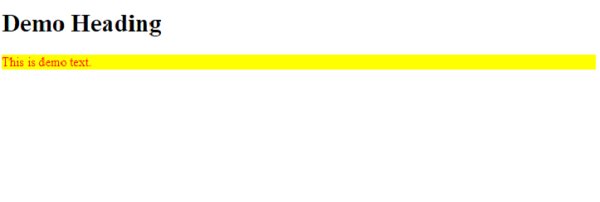
   <h1>Demo Heading</h1>
   <div class='mydiv'>
      This is demo text.
   </div>
</body>
</html>
輸出

更新於: 06-12-2022
1.7 萬+ 檢視

廣告