
 資料結構
資料結構 網路
網路 關係型資料庫管理系統
 作業系統
作業系統 Java
Java MS Excel
 iOS
iOS HTML
HTML CSS
CSS Android
 Python
 C 程式設計
 C++
C++ C#
C# MongoDB
 MySQL
MySQL Javascript
 PHP
PHP 物理學
物理學 化學
化學 生物學
生物學 數學
數學 英語
英語 經濟學
經濟學 心理學
心理學 社會學
社會學 時尚研究
時尚研究 法律研究
法律研究Python 中矩陣和陣列的區別?
Python 中的陣列是 ndarray 物件。矩陣物件嚴格為二維的,而 ndarray 物件可以是多維的。要建立 Python 中的陣列,請使用 NumPy 庫。
Python 中的矩陣
矩陣是二維陣列的一種特殊情況,其中每個資料元素的大小都嚴格相同。矩陣是許多數學和科學計算的關鍵資料結構。每個矩陣也是一個二維陣列,但反之則不然。矩陣物件是 ndarray 的子類,因此它們繼承了 ndarray 的所有屬性和方法。
示例
建立矩陣並顯示
from numpy import *

# Create a Matrix
mat = array([['A',12,16],['B',11,13],
['C',20,19],['D',22,21],
['E',18,22],['F',12,18]])

# Display the Matrix
print("Matrix = \n",mat)
輸出
Matrix =
 [['A' '12' '16']
 ['B' '11' '13']
 ['C' '20' '19']
 ['D' '22' '21']
 ['E' '18' '22']
 ['F' '12' '18']]
示例
使用 mat() 建立矩陣
mat() 函式將輸入解釋為矩陣 -
import numpy as np

# Create a Matrix
mat = np.mat([[5,10],[15,20]])

# Display the Matrix
print("Matrix = \n",mat)
輸出
Matrix =
 [[ 5 10]
 [15 20]]
Python 中的陣列
陣列是一個容器,可以容納固定數量的項,並且這些項必須是相同型別的。要在 Python 中使用陣列,請匯入 NumPy 庫。
示例
import numpy as np

# Create an array
arr = np.array([5, 10, 15, 20])

# Display the Array
print("Array =\n")
for x in arr:
   print(x)
輸出
Array =

5
10
15
20
使用 NumPy 陣列進行矩陣運算
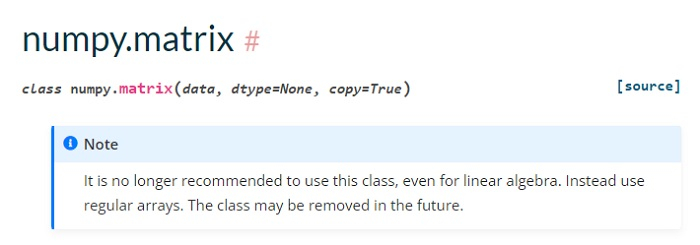
根據官方文件,類 numpy.matrix 將在未來被移除。因此,現在必須使用 NumPy 陣列進行矩陣代數運算。
示例
現在讓我們看看一些使用 NumPy 陣列的矩陣運算子。首先,我們將使用陣列建立一個矩陣 -
import numpy as np

# Create Matrices
mat1 = np.array([[5,10],[3,9]])
mat2 = np.array([[15,20],[10,11]])

# Display the Matrices
print("Matrix1 = \n",mat1)
print("Matrix2 = \n",mat2)
輸出
Matrix1 =
 [[ 5 10]
 [ 3  9]]
Matrix2 =
 [[15 20]
 [10 11]]
示例
讓我們將上述矩陣相乘 -
import numpy as np

# Create Matrices
mat1 = np.array([[5,10],[3,9]])
mat2 = np.array([[15,20],[10,11]])

# Display the Matrices
print("Matrix1 = \n",mat1)
print("Matrix2 = \n",mat2)
mulMat = mat1@mat2
print("\nMatrix Multiplication = \n",mulMat)
輸出
Matrix1 =
 [[ 5 10]
 [ 3  9]]
Matrix2 =
 [[15 20]
 [10 11]]

Matrix Multiplication =
 [[175 210]
 [135 159]]
示例
獲取轉置 -
import numpy as np

# Create Matrices
mat1 = np.array([[5,10],[3,9]])
mat2 = np.array([[15,20],[10,11]])

# Display the Matrices
print("Matrix1 = \n",mat1)
print("Matrix2 = \n",mat2)
mulMat = mat1@mat2
print("\nTranspose = \n",mulMat.T)
輸出
Matrix1 =
 [[ 5 10]
 [ 3  9]]
Matrix2 =
 [[15 20]
 [10 11]]

Transpose =
 [[175 135]
 [210 159]]

更新於: 2022年9月15日
4K+ 次瀏覽

廣告