
 資料結構
資料結構 網路
網路 RDBMS
RDBMS 作業系統
作業系統 Java
Java MS Excel
 iOS
iOS HTML
HTML CSS
CSS Android
 Python
 C 程式設計
 C++
C++ C#
C# MongoDB
 MySQL
MySQL Javascript
 PHP
PHP 物理
物理 化學
化學 生物
生物 數學
數學 英語
英語 經濟學
經濟學 心理學
心理學 社會研究
社會研究 時尚研究
時尚研究 法律研究
法律研究使用 CSS 指標事件屬性控制是否允許使用滑鼠和觸控
透過 CSS 指標事件屬性,可以控制是否允許在元素上使用滑鼠和觸控。
CSS 指標事件屬性的語法如下 −
pointer-events: auto|none;
在以上語法表示中:
auto 是預設值。元素對指標事件做出反應,而
none: 元素不對指標事件做出反應
示例
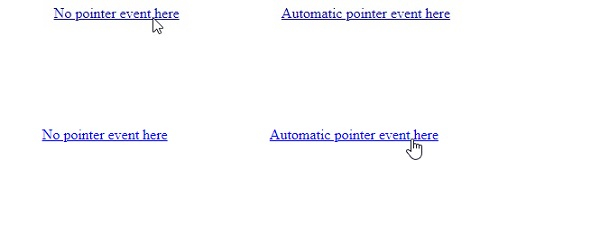
以下示例演示了 CSS 指標事件屬性。
<!DOCTYPE html>
<html>
<head>
<style>
a {
   margin: 10vh;
   pointer-events: none;
}
a:last-of-type {
   pointer-events: auto;
}
</style>
</head>
<body>
<a href=#>No pointer event here</a>
<a href=#>Automatic pointer event here</a>
</body>
</html>
輸出
將生成以下結果 −
示例
<!DOCTYPE html>
<html>
<head>
<style>
select {
   margin: 10vh;
   pointer-events: none;
   background-color: mistyrose;
}
</style>
</head>
<body>
<select>
<option>No event here </option>
<option>a</option>
<option>b</option>
<option>c</option>
</select>
</body>
</html>
輸出
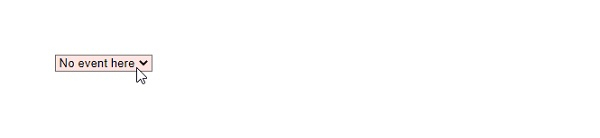
將生成以下結果 −

更新於:2021 年 3 月 12 日
186 次瀏覽

廣告