
 資料結構
資料結構 網路化
網路化 關係型資料庫管理系統
 作業系統
作業系統 Java
Java MS Excel
 iOS
iOS HTML
HTML CSS
CSS Android
 Python
 C 程式語言
 C++
C++ C#
C# MongoDB
 MySQL
MySQL JavaScript
 PHP
PHP 物理
物理 化學
化學 生物
生物 數學
數學 英語
英語 經濟學
經濟學 心理學
心理學 社會學
社會學 時尚研究
時尚研究 法律研究
法律研究我們在 HTML 表單中如何對資料進行分組?
我們使用 <fieldset> 標籤,在 HTML 表單中對相關資料進行分組。此標籤在網頁上與相關元素周圍建立一個框。<legend> 標籤用於在 <fieldset> 標籤中,為組提供標題或名稱。
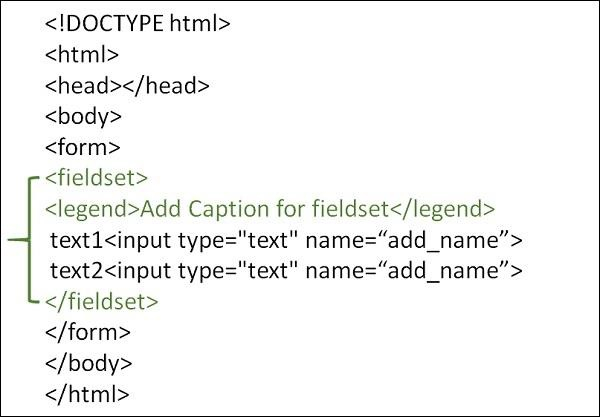
語法
<fieldse>…..</fieldset>
示例 1
以下是使用 <fieldset> 標籤中 <legend> 標籤,在 HTML 表單中對資料進行分組的示例 −
<!DOCTYPE html>
<html>
<head>
   <meta charset="UTF-8">
   <meta name="description" content="meta tag in the web document">
   <meta name="keywords" content="HTML,CSS">
   <meta name="author" content="lokesh">
   <meta name="viewport" content="width=device-width, initial-scale=1.0">
</head>
<body>
   <form>
      <fieldset>
         <legend>Employee Details</legend>
         Employee Name<br>
         <input type="text" name="Ename">
         <br>
         Employee ID<br>
         <input type="text" name="Eid">
         <br>
         Employee Address<br>
         <input type="text" name="Eid">
         <br>
      </fieldset>
   </form>
</body>
</html>
示例 2
可以嘗試執行以下程式碼,在 HTML 表單中對資料進行分組 −
<!DOCTYPE html>
<html>
<body>
   <form>
      <fieldset>
         <legend>Student Information:</legend>
         Student Name:<br>
         <input type="text" name="sname">
         <br>
         Student Subject:<br>
         <input type="text" name="ssubject">
         <br>
      </fieldset>
   </form>
</body>
</html>

更新時間: 19-10-2022
4K+ 瀏覽量

廣告