
 資料結構
資料結構 網路
網路 關係資料庫管理系統 (RDBMS)
 作業系統
作業系統 Java
Java MS Excel
 iOS
iOS HTML
HTML CSS
CSS Android
 Python
 C 程式設計
 C++
C++ C#
C# MongoDB
 MySQL
MySQL Javascript
 PHP
PHP 物理學
物理學 化學
化學 生物學
生物學 數學
數學 英語
英語 經濟學
經濟學 心理學
心理學 社會學
社會學 服裝學
服裝學 法學
法學Node.js 中的 send()、sendStatus() 和 json() 方法
send() 和 json() 函式用於直接從伺服器向客戶端傳送響應。send() 方法將資料以字串格式傳送,而 json() 函式將資料以 JSON 格式傳送。sendStatus() 方法用於向客戶端傳送 HTTP 請求狀態。可能的狀態值包括:200(成功)、404(未找到)、201(已建立)、503(伺服器不可達)等。
前提條件
Node.js
Express.js
安裝
使用以下語句安裝 express 模組:
npm install express
示例 - sendStatus()
建立一個名為 sendStatus.js 的檔案,並複製以下程式碼片段。建立檔案後,使用以下命令執行此程式碼,如下例所示:
node sendStatus.js
sendStatus.js
// Importing the express module
const express = require('express');
const app = express();

// Sending the response for '/' path
app.get('/' , (req,res)=>{
   // Status: 200 (OK)
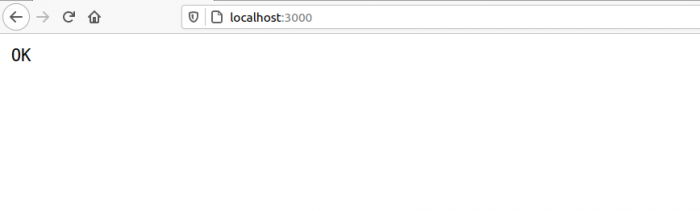
   res.sendStatus(200);
})

// Setting up the server at port 3000
app.listen(3000 , ()=>{
   console.log("server running");
});
輸出
C:\home
ode>> node sendStatus.js
現在,從您的瀏覽器訪問以下 URL 來訪問網頁:https://:3000
示例 - send()
建立一個名為 send.js 的檔案,並複製以下程式碼片段。建立檔案後,使用以下命令執行此程式碼,如下例所示:
node send.js
send.js
// Importing the express module
const express = require('express');
const app = express();

// Initializing the heading with the following string
var heading = "Welcome to TutorialsPoint !";

// Sending the response for '/' path
app.get('/' , (req,res)=>{
   // Sending the heading text
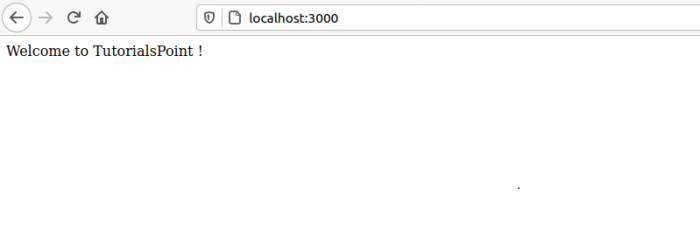
   res.send(heading);
})

// Setting up the server at port 3000
app.listen(3000 , ()=>{
   console.log("server running");
});
輸出
C:\home
ode>> node send.js
現在,從您的瀏覽器訪問以下 URL 來訪問網頁:https://:3000
示例 - json()
建立一個名為 json.js 的檔案,並複製以下程式碼片段。建立檔案後,使用以下命令執行此程式碼,如下例所示:
node json.js
json.js
// Importing the express module
const express = require('express');
const app = express();

// Initializing the data with the following json
var data = {
   portal: "TutorialsPoint",
   tagLine: "SIMPLY LEARNING",
   location: "Hyderabad"
}

// Sending the response for '/' path
app.get('/' , (req,res)=>{

// Sending the data json text
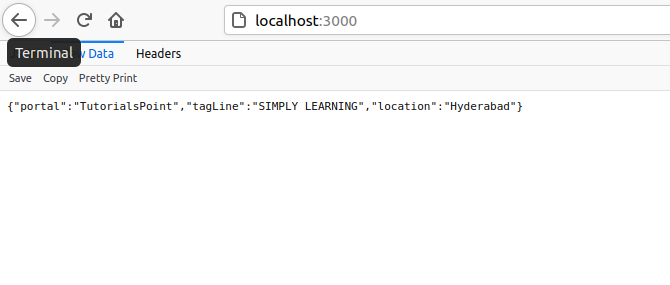
res.json(data);
})

// Setting up the server at port 3000
app.listen(3000 , ()=>{
   console.log("server running");
});
輸出
C:\home
ode>> node json.js
現在,從您的瀏覽器訪問以下 URL 來訪問網頁:https://:3000

更新於:2021年5月20日
5K+ 瀏覽量

廣告