
 資料結構
資料結構 網路
網路 關係資料庫管理系統 (RDBMS)
 作業系統
作業系統 Java
Java MS Excel
 iOS
iOS HTML
HTML CSS
CSS Android
 Python
 C 語言程式設計
 C++
C++ C#
C# MongoDB
 MySQL
MySQL Javascript
 PHP
PHP 物理學
物理學 化學
化學 生物學
生物學 數學
數學 英語
英語 經濟學
經濟學 心理學
心理學 社會學
社會學 服裝設計
服裝設計 法學
法學Django 中模型物件的版本追蹤
模型歷史追蹤是一個追蹤模型物件變化的功能,它追蹤諸如你做了什麼更改以及何時刪除了物件等資訊。它還有助於恢復已刪除的模型物件。在本文中,我們將透過一個示例來了解如何在 Django 中追蹤模型物件的版本歷史。
示例
首先,設定你的專案、應用、URL 和模型。
安裝 **django-simple-history** 庫:
pip install django-simple-history
在 **settings.py** 中:
INSTALLED_APPS+=[" simple_history"]
MIDDLEWARE = [
   #other middle ware
   'simple_history.middleware.HistoryRequestMiddleware',
]
在這裡,我們添加了 **"simple_history"** 模組作為應用和中介軟體。
因為我們的主要工作是 **models.py** 和 **admin.py**,所以在 **urls.py** 和 **views.py** 中我們不需要做太多事情。
在 **models.py** 中,新增以下內容:
from django.db import models
from simple_history.models import HistoricalRecords

# Create your models here.
class StudentData(models.Model):
   name=models.CharField(max_length=100)
   standard=models.CharField(max_length=100)
   section=models.CharField(max_length=100)
   history = HistoricalRecords()
在這裡,我們簡單地建立了一個模型和一個 history 欄位,它將儲存每一次更改。
在 **admin.py** 中,新增以下幾行:
from django.contrib import admin
from .models import StudentData
from simple_history.admin import SimpleHistoryAdmin

admin.site.register(StudentData,SimpleHistoryAdmin)
在這裡,我們將帶有歷史追蹤功能的模型註冊到 admin 中。
現在執行以下命令:
python manage.py makemigrations
python manage.py migrate
python manage.py createsuperuser
現在一切就緒了。**models.py** 中的以上程式碼將所有歷史資料儲存在一個欄位中,你可以在 **views.py** 或 Django shell 中訪問它。
輸出
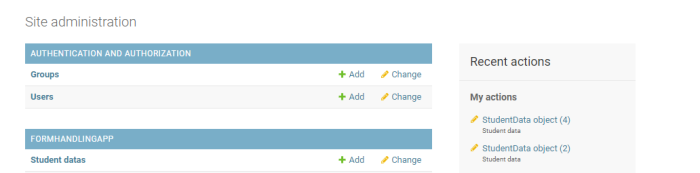
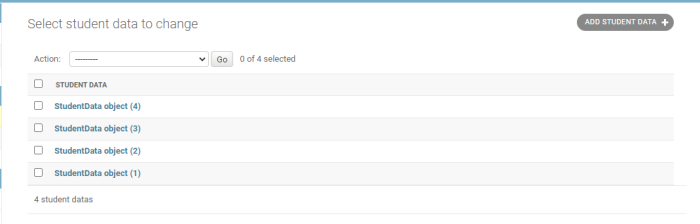
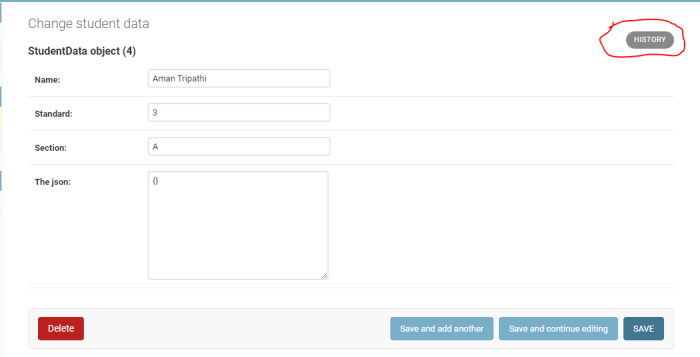
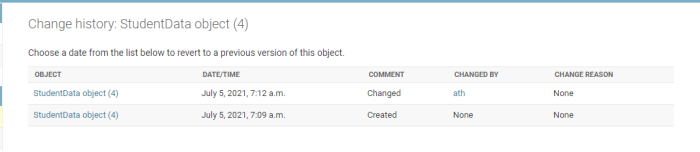
你可以在 **views.py** 或 Django shell 中查詢它。

更新於:2021年8月26日
3K+ 瀏覽量

廣告