
 資料結構
資料結構 網路
網路 RDBMS
RDBMS 作業系統
作業系統 Java
Java MS Excel
 iOS
iOS HTML
HTML CSS
CSS Android
 Python
 C 程式設計
 C++
C++ C#
C# MongoDB
 MySQL
MySQL Javascript
 PHP
PHP 物理學
物理學 化學
化學 生物學
生物學 數學
數學 英語
英語 經濟學
經濟學 心理學
心理學 社會學
社會學 時尚研究
時尚研究 法律研究
法律研究jQuery Data 與 Attr 的區別?
jQuery 中的 data() 用於從匹配的 HTML 元素獲取任何自定義資料屬性的值。
jQuery 的 attr() 方法用於從匹配的 HTML 元素獲取任何標準屬性的值。
讓我們看看它們的區別:
.attr() 方法包含 DOM 操作,並從當前 HTML 獲取資料,如果用於更改屬性值,則會更改 HTML 程式碼。
.data() 方法不包含 DOM 操作,並從內部快取獲取資料,如果呼叫 set,則會更改該資料。.data() 方法需要字首“data-”才能工作,而 .attr() 不需要。
.data() 比 .attr() 更有優勢,因為變數儲存在節點物件中,因此我們可以儲存複雜物件,而不僅僅是字串值。
當我們需要獲取/設定與應用程式當前狀態相關的資料時, .data() 是更好的儲存資料的方式。
當我們處理 DOM 樹上的更改時, .attr() 呼叫更好。
現在讓我們看看 jQuery 中的 .$data() 和 $.attr() 是什麼。
$.data() 在 jQuery 中
jQuery 的 data() 方法用於從匹配的 HTML 元素獲取任何自定義資料屬性的值。讓我們看一個獲取 <div> 元素的 author-name 和 year 屬性的示例:
<!doctype html>
<html>
<head>
   <title>jQuery data()</title>
   <script src="https://tutorialspoint.tw/jquery/jquery-3.6.0.js"></script>
   <script>
      $(document).ready(function() {
         $("button").click(function(){
            alert( "Author = " + $("#home").data("author-name"));
            alert( "Year = " + $("#home").data("year"));
         });
      });
   </script>
</head>
<body>
   <p>Click the below button to see the result:</p>
   <div id="home" data-author-name="Amit" data-year="2022">
      Demo
   </div>
   <br>
   <button>Get Attribute</button>
</body>
</html>
輸出
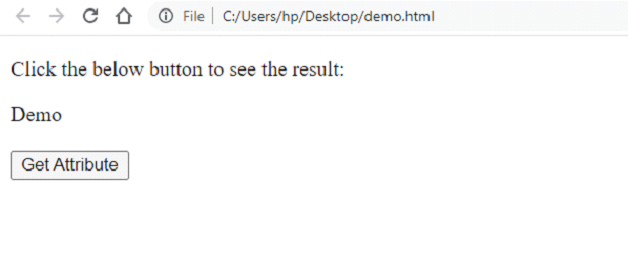
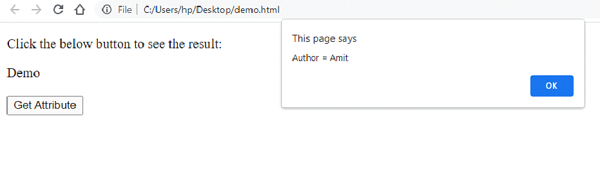
點選“獲取屬性”,名稱將在警告框中顯示:
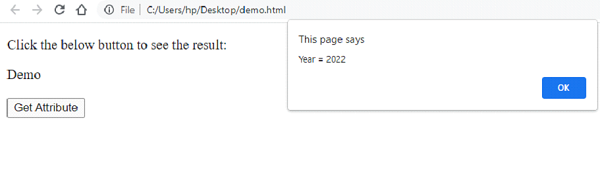
現在,點選警告框“確定”。年份將顯示:
$.attr() 在 jQuery 中
jQuery 的 attr() 方法用於從匹配的 HTML 元素獲取任何標準屬性的值。
讓我們看一個獲取錨 <a> 元素的 href 和 title 屬性的示例:
<!doctype html>
<html>
<head>
<title> jQuery attr() Example</title>
<script src="https://tutorialspoint.tw/jquery/jquery-3.6.0.js"></script>
<script>
   $(document).ready(function() {
      $("button").click(function(){
         alert( "Href = " + $("#home").attr("href"));
         alert( "Title = " + $("#home").attr("title"));
      });
   });
</script>
</head>
<body>
   <p>Click the below button to see the result:</p>

   <p><a id="home" href="index.htm" title="Tutorials Point">Home</a></p>
   <button>Get Attribute</button>
</body>
</html>
輸出
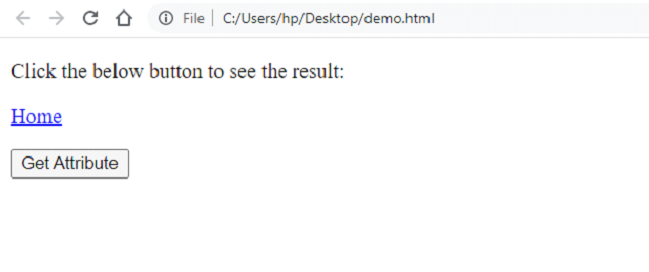
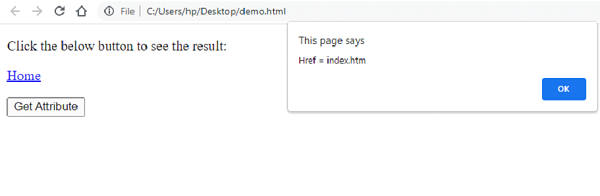
點選“獲取屬性”按鈕。將顯示一個警告框,顯示 href:
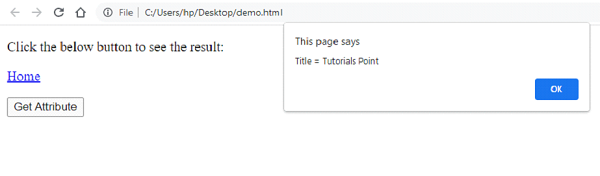
點選警告框“確定”,以下標題將顯示:

更新於: 2022-12-05
2K+ 次瀏覽

廣告