
 資料結構
資料結構 網路
網路 RDBMS
RDBMS 作業系統
作業系統 Java
Java MS Excel
 iOS
iOS HTML
HTML CSS
CSS Android
 Python
 C 程式設計
 C++
C++ C#
C# MongoDB
 MySQL
MySQL JavaScript
 PHP
PHP 物理
物理 化學
化學 生物
生物 數學
數學 英語
英語 經濟
經濟 心理學
心理學 社會科學
社會科學 時尚研究
時尚研究 法律研究
法律研究jQuery 元素新增例項
要新增 jQuery 中的元素,讓我們看兩個方法:jQuery after() 方法
jQuery 中的 after() 方法用於在所選元素後面插入指定的內容。
示例
現在讓我們看一個示例來實現 jQuery after() 方法 −
<!DOCTYPE html>
<html>
<head>
<script src="https://ajax.googleapis.com/ajax/libs/jquery/3.4.1/jquery.min.js"></script>
<script>
   $(document).ready(function(){
      $("#btndemo").click(function(){
         $("img").after("<strong>Text inserted after!</strong>");
      });
   });
</script>
</head>
<body>
<img src="https://tutorialspoint.tw/images/tp-logo-diamond.png" alt="Tutorialspoint Logo" width="220" height="120"><br><br>
<button id="btndemo">Insert specified content</button>
</body>
</html>
輸出
此示例將產生以下輸出 −

單擊上述按鈕顯示文字 −

jQuery before() 方法
jQuery 中的 before() 方法用於在所選元素之前插入指定的內容。
現在讓我們看一個示例來在 jQuery 中實現 before() 方法 −
<!DOCTYPE html>
<html>
<head>
<script src="https://ajax.googleapis.com/ajax/libs/jquery/3.4.1/jquery.min.js"></script>
<script>
   $(document).ready(function(){
      $("#btndemo").click(function(){
         $("img").before("<strong>Text inserted before!</strong>");
      });
   });
</script>
</head>
<body>
<img src="https://tutorialspoint.tw/images/tp-logo-diamond.png" alt="Tutorialspoint Logo" width="220" height="120"><br><br>
<button id="btndemo">Insert specified content</button>
</body>
</html>
輸出
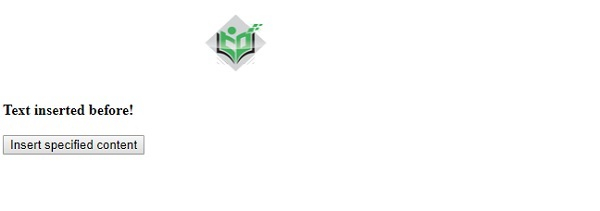
此示例將產生以下輸出 −

單擊“插入指定內容” −

更新日期: 2019-11-11
69 次瀏覽

廣告