
 資料結構
資料結構 網路
網路 RDBMS
RDBMS 作業系統
作業系統 Java
Java MS Excel
 iOS
iOS HTML
HTML CSS
CSS Android
 Python
 C 程式設計
 C++
C++ C#
C# MongoDB
 MySQL
MySQL Javascript
 PHP
PHP 物理學
物理學 化學
化學 生物學
生物學 數學
數學 英語
英語 經濟學
經濟學 心理學
心理學 社會學
社會學 時尚學
時尚學 法律學
法律學JavaScript JSON HTML
要利用 JSON 資料生成 HTML,程式碼如下 −
注意 − JSONPlaceholder 是一個用於測試和原型設計的偽線上 REST API
示例
<!DOCTYPE html>
<html lang="en">
<head>
<meta charset="UTF-8" />
<meta name="viewport" content="width=device-width, initial-scale=1.0" />
<title>Document</title>
<style>
   body {
      font-family: "Segoe UI", Tahoma, Geneva, Verdana, sans-serif;
   }
   .sample {
      font-size: 18px;
      font-weight: 500;
      color: red;
   }
</style>
</head>
<body>
<h1>JSON arrays</h1>
<div class="sample">EMPLOYEE NAME</div>
<table border="1" class="employee"></table>
<button class="Btn">CLICK HERE</button>
<h3>
Click on the above button to fill the employee table
</h3>
<script>
   let sampleEle = document.querySelector(".employee");
   document.querySelector(".Btn").addEventListener("click", () => {
      fetch("https://jsonplaceholder.typicode.com/users")
      .then((response) => response.json())
      .then((result) => {
         result.forEach((element) => {
            sampleEle.innerHTML += "<td>" + element.name;
         });
      });
   });
</script>
</body>
</html>
輸出
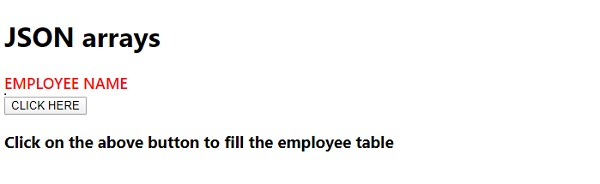
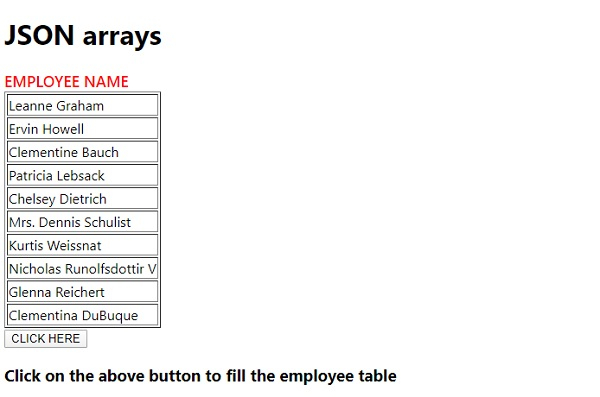
單擊“單擊此處”按鈕 −

更新於:11-5-2020
184 次瀏覽

廣告