
 資料結構
資料結構 網路
網路 關係資料庫管理系統 (RDBMS)
 作業系統
作業系統 Java
Java MS Excel
 iOS
iOS HTML
HTML CSS
CSS Android
 Python
 C語言程式設計
 C++
C++ C#
C# MongoDB
 MySQL
MySQL Javascript
 PHP
PHP 物理學
物理學 化學
化學 生物學
生物學 數學
數學 英語
英語 經濟學
經濟學 心理學
心理學 社會學
社會學 服裝學
服裝學 法學
法學Java程式:在其他時區顯示當前時間
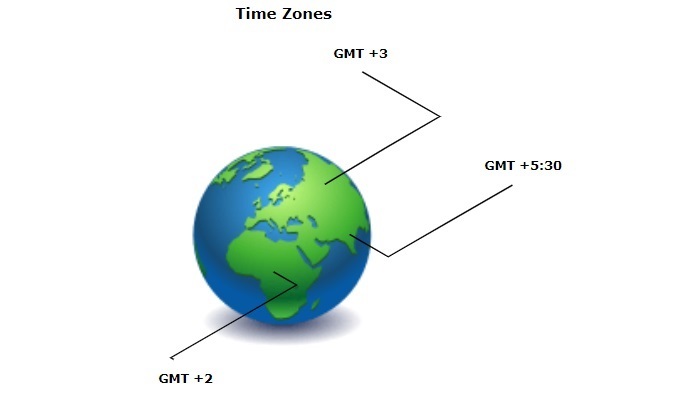
時區是指為了法律、商業和社會目的而採用統一標準時間的全球區域。假設您有一個同時在印度和日本執行的應用程式。在這裡,您不能對這兩個區域使用相同的時區。因此,必須在不同的時區顯示時間。
Java提供了各種內建類,例如TimeZone和ZoneId,以及諸如getTimeZone()之類的可以幫助在其他時區顯示當前時間的方法。但是,在使用它們之前,必須將它們匯入到您的Java程式中。
使用getTimeZone()和setTimeZone()方法
來自java.util包的TimeZone類提供了getTimeZone()方法,該方法接受時區ID作為字串並返回給定ID的時區。獲取時區後,使用其setTimeZone()方法設定Calendar物件的時區。然後,透過呼叫get()方法,您可以顯示傳入時區ID的當前時間。
示例
一個演示如何在其他時區顯示當前時間的Java程式。
import java.util.Calendar;
import java.util.TimeZone;
public class Demo {
   public static void main(String[] args) {
      Calendar cal = Calendar.getInstance();
      System.out.println("Europe/Sofia TimeZone...");
      cal.setTimeZone(TimeZone.getTimeZone("Europe/Sofia"));
      System.out.println("Hour = " + cal.get(Calendar.HOUR_OF_DAY));
      System.out.println("Minute = " + cal.get(Calendar.MINUTE));
      System.out.println("Second = " + cal.get(Calendar.SECOND));
      System.out.println("Millisecond = " + cal.get(Calendar.MILLISECOND));
   }
}
執行此程式碼時,將顯示以下輸出:
Europe/Sofia TimeZone...
Hour = 11
Minute = 16
Second = 44
Millisecond = 354
使用ZonedDateTime和ZoneId類
在這種方法中,我們首先使用ZoneId.of()方法為指定的時區ID檢索ZoneId物件。然後,使用ZonedDateTime.now()建立一個ZonedDateTime物件,該物件表示檢索到的ZoneId物件的當前時間。執行這些步驟後,您可以使用getHour()、getMinute()和getSecond()方法來顯示指定時區的當前時間。
示例
以下Java程式使用ZonedDateTime和ZoneId類顯示其他時區的當前時間。
import java.time.ZonedDateTime;
import java.time.ZoneId;
import java.time.format.DateTimeFormatter;

public class Demo {
   public static void main(String[] args) {
      System.out.println("America/New_York TimeZone...");
      ZonedDateTime current_time = ZonedDateTime.now(ZoneId.of("America/New_York"));
      System.out.println("Hour = " + current_time.getHour());
      System.out.println("Minute = " + current_time.getMinute());
      System.out.println("Second = " + current_time.getSecond());
   }
}
執行此程式碼後,您將獲得以下結果:
America/New_York TimeZone...
Hour = 8
Minute = 4
Second = 57
使用LocalTime和ZoneId類
這是顯示其他時區當前時間的另一種方法。在這裡,我們使用ZoneId.of()方法獲取時區,並透過將此時區作為引數值傳遞給LocalTime.now()方法,我們檢索該時區的當前時間。
示例
在這個Java程式中,我們使用LocalTime和ZoneId類來顯示其他時區的當前時間。
import java.time.LocalTime;
import java.time.ZoneId;
import java.time.format.DateTimeFormatter;

public class Demo {
   public static void main(String[] args) {
      System.out.println("Asia/Tokyo TimeZone...");
      LocalTime current_time = LocalTime.now(ZoneId.of("Asia/Tokyo"));
      System.out.println("Hour = " + current_time.getHour());
      System.out.println("Minute = " + current_time.getMinute());
      System.out.println("Second = " + current_time.getSecond());
   }
}
以上程式碼將生成以下結果:
Asia/Tokyo TimeZone...
Hour = 21
Minute = 6
Second = 43

903 次瀏覽
