
 資料結構
資料結構 網路
網路 RDBMS
RDBMS 作業系統
作業系統 Java
Java MS Excel
 iOS
iOS HTML
HTML CSS
CSS Android
 Python
 C 程式設計
 C++
C++ C#
C# MongoDB
 MySQL
MySQL Javascript
 PHP
PHP 物理
物理 化學
化學 生物
生物 數學
數學 英語
英語 經濟學
經濟學 心理學
心理學 社會學
社會學 時尚學
時尚學 法律學
法律學在 Node.js 中整合 Express-rate-limit
限速日益重要,可以防止網站遭受 DOS 和 DDOS 攻擊。限速可防止系統遭受任何型別的虛假請求或其他暴力攻擊。限速限制了 IP 可以發出請求的次數。expressrate-limit 是用於限制使用者請求次數的 npm 包。
安裝 rate-limit 模組
執行以下命令在您的應用程式中安裝 Express 限速模組。
npm install --save express-rate-limit
示例
建立一個名為 rateLimit.js 的檔案,並複製以下程式碼段。建立檔案後,使用以下命令執行此程式碼,如下面的示例所示 −
node rateLimit.js
rateLimit.js
// Importing the express dependency
const express = require("express");

// Importing the express-rate-limit dependency
const rateLimit = require("express-rate-limit");

// Storing the express function in variable application
const applicaion = express();

// Calling the ratelimiter function with its options
// max: Contains the maximum number of requests
// windowsMs: Contains the time in milliseconds to receive max requests
// message: message to be shown to the user on rate-limit
const limiter = rateLimit({
   max: 5,
   windowMs: 60 * 60 * 1000,
   message: "Too many request from this IP"
});

// Adding the rate-limit function to the express middleware so
// that each requests passes through this limit before executing
applicaion.use(limiter);

// GET route for handling the user requests
applicaion.get("/", (req, res) => {
   res.status(200).json({
      status: "SUCCESS",
      message: "Welcome to TutorialsPoint !"
   });
});

// Server Setup
const port = 8000;
applicaion.listen(port, () => {
   console.log(`app is running on port ${port}`);
});
輸出
C:\home
ode>> node rateLimit.js
執行 node 應用程式後,轉到您的瀏覽器並點選 localhost:8000
您將看到一個類似於下圖的頁面。

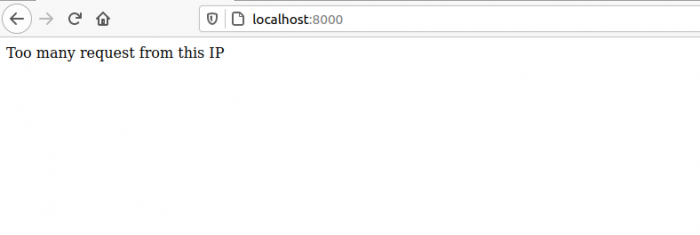
嘗試點選或重新整理相同的 URL 超過 5 次,您將收到以下錯誤。

更新日期:2021-05-20
324 次瀏覽

廣告