
 資料結構
資料結構 網路
網路 關係型資料庫管理系統
 作業系統
作業系統 Java
Java MS Excel
 iOS
iOS HTML
HTML CSS
CSS Android
 Python
 C 程式設計
 C++
C++ C#
C# MongoDB
 MySQL
MySQL Javascript
 PHP
PHP 物理學
物理學 化學
化學 生物學
生物學 數學
數學 英語
英語 經濟學
經濟學 心理學
心理學 社會科學
社會科學 時尚
時尚 法律學習
法律學習HTML 螢幕 colorDepth 屬性
HTML Screen colorDepth 屬性返回用於顯示圖片(以每畫素位數)的調色盤的位深度。
語法
以下為語法 −
screen.colorDepth
示例
讓我們看一個 HTML Screen colorDepth 屬性的示例 −
<!DOCTYPE html>
<html>
<style>
   body {
      color: #000;
      height: 100vh;
      background-color: #FBAB7E;
      background-image: linear-gradient(62deg, #FBAB7E 0%, #F7CE68 100%);
      text-align: center;
   }
   .btn {
      background: #db133a;
      border: none;
      height: 2rem;
      border-radius: 2px;
      width: 40%;
      display: block;
      color: #fff;
      outline: none;
      cursor: pointer;
      margin: 1rem auto;
   }
   .show {
      font-size: 1.2rem;
      margin: 1rem auto;
      font-weight: bold;
      font-family: sans-serif;
   }
</style>
<body>
<h1>HTML screen colorDepth Property</h1>
<button class="btn" onclick="get()">Show color depth</button>
<div class="show"></div>
<script>
   function get() {
      document.querySelector(".show").innerHTML = "Color Depth is " + screen.colorDepth + " bits per pixel";
   }
</script>
</body>
</html>
輸出
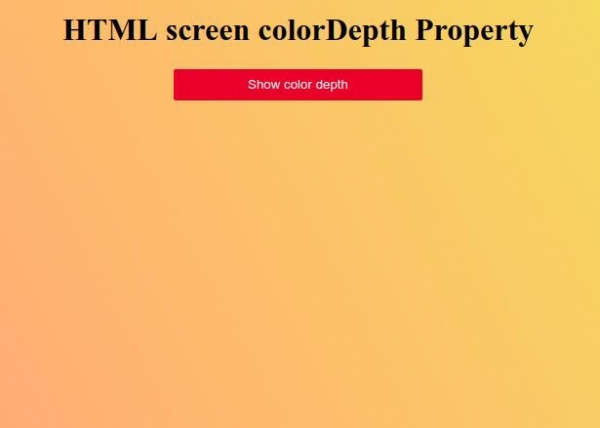
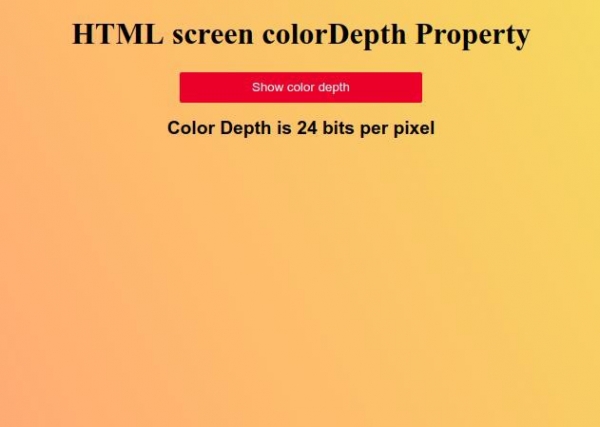
點選 “顯示顏色深度” 按鈕來顯示螢幕顏色深度。

更新於: 16-Feb-2021
104 次瀏覽

廣告