
 資料結構
資料結構 網路
網路 RDBMS
RDBMS 作業系統
作業系統 Java
Java MS Excel
 iOS
iOS HTML
HTML CSS
CSS Android
 Python
 C 程式設計
 C++
C++ C#
C# MongoDB
 MySQL
MySQL Javascript
 PHP
PHP 物理
物理 化學
化學 生物
生物 數學
數學 英語
英語 經濟學
經濟學 心理學
心理學 社會研究
社會研究 時尚研究
時尚研究 法律研究
法律研究HTML onpaste 事件屬性
當用戶在 HTML 文件的 HTML 元素中貼上一些內容時,將觸發 HTML onpaste 屬性。
語法
以下是語法 −
<tagname onpast=”script”></tagname>
讓我們看一個 HTML onpaste 事件屬性的示例 −
示例
<!DOCTYPE html>
<html>
<head>
<style>
   body {
      color: #000;
      height: 100vh;
      background: linear-gradient(62deg, #FBAB7E 0%, #F7CE68 100%) no-repeat;
      text-align: center;
      padding: 20px;
   }
   p {
      border: 2px solid #fff;
      padding: 8px;
      text-align: justify;
   }
   textarea {
      border: 2px solid #fff;
      background: transparent;
      font-size: 1rem;
   }
   ::placeholder {
      color: #000;
      font-size: 1rem;
   }
</style>
</head>
<body>
<h1>HTML onpaste Event Attribute Demo</h1>
<p>
I'm a paragraph element with some dummy text.
I'm a paragraph element with some dummy text.
I'm a paragraph element with some dummy text.
I'm a paragraph element with some dummy text.
I'm a paragraph element with some dummy text.
</p>
<textarea placeholder="Paste above text here" onpaste="pasteFn()" rows='8' cols="50" required></textarea>
<script>
   function pasteFn() {
      document.querySelector('textarea').style.background = '#fff';
   }
</script>
</body>
</html>
輸出
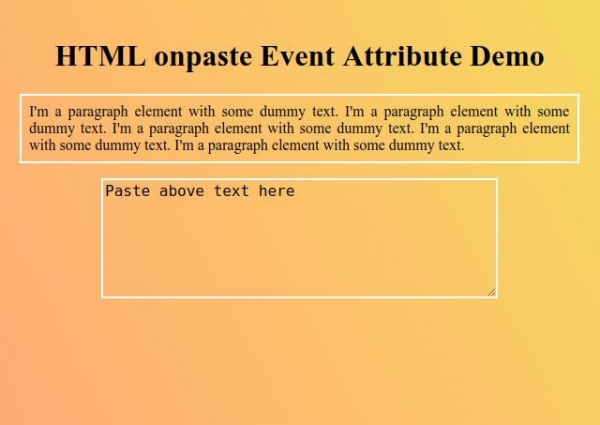
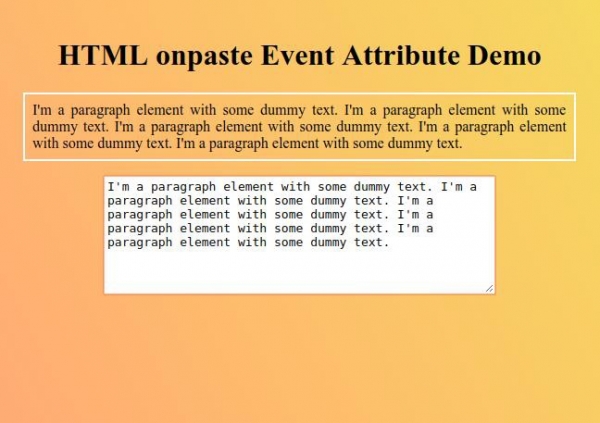
現在嘗試複製並貼上文字區域中的段落文字,並觀察 onpaste 事件屬性如何工作 −

更新時間: 26-9 月-2019
181 次觀看

廣告