
 資料結構
資料結構 網路
網路 RDBMS
RDBMS 作業系統
作業系統 Java
Java MS Excel
 iOS
iOS HTML
HTML CSS
CSS 安卓
安卓 Python
 C 程式設計
 C++
C++ C#
C# MongoDB
 MySQL
MySQL Javascript
 PHP
PHP 物理
物理 化學
化學 生物
生物 數學
數學 英語
英語 經濟學
經濟學 心理學
心理學 社會學
社會學 時裝研究
時裝研究 法律研究
法律研究HTML 表單 action 屬性
HTML 表單 action 屬性定義在 HTML 文件中提交表單時將表單資料傳送到的位置。
語法
以下是語法
<form action=”URL”></form>
讓我們看一個 HTML 表單 action 屬性示例
示例
<!DOCTYPE html>
<html>
<style>
   body {
      color: #000;
      height: 100vh;
      background: linear-gradient(62deg, #FBAB7E 0%, #F7CE68 100%) no-repeat;
      text-align: center;
   }
   input {
      width: 315px;
      display: block;
      margin: 1rem auto;
      border: 2px solid #fff;
      padding: 8px;
      background: transparent;
      border-radius: 20px;
      outline: none;
   }
   ::placeholder {
      color: #000;
   }
   .btn {
      background: #db133a;
      border: none;
      height: 2rem;
      border-radius: 20px;
      width: 330px;
      display: block;
      color: #fff;
      outline: none;
      cursor: pointer;
      margin: 1rem auto;
   }
</style>
<body>
<h1>HTML Form action Attribute Demo</h1>
<form action="/action_page.php" method="get">
<input type="text" name="firstname" placeholder="Enter First Name">
<input type="text" name="lastname" placeholder="Enter Last Name">
<input type="submit" value="SUBMIT" class="btn">
</form>
</body>
</html>
輸出
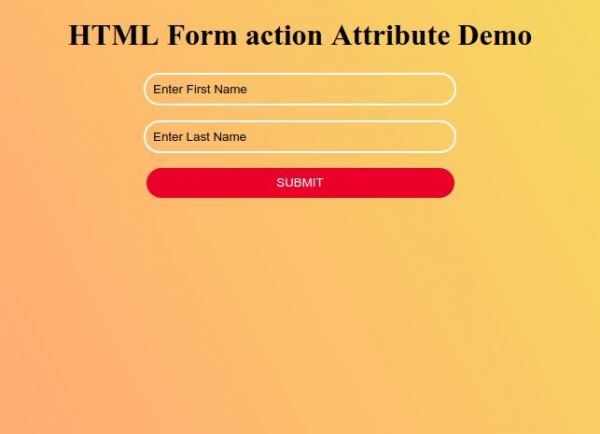
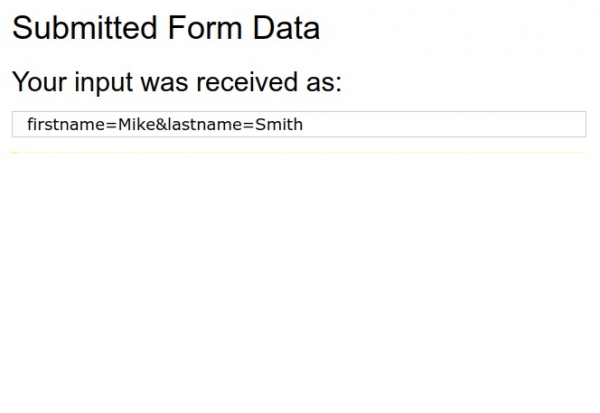
輸入表單詳細資訊,然後使用“提交”按鈕提交表單以觀察 action 屬性如何工作。

更新於: 2019 年 10 月 1 日
2K+ 瀏覽量

廣告