
 資料結構
資料結構 網路
網路 關係資料庫管理系統 (RDBMS)
 作業系統
作業系統 Java
Java MS Excel
 iOS
iOS HTML
HTML CSS
CSS Android
 Python
 C語言程式設計
 C++
C++ C#
C# MongoDB
 MySQL
MySQL Javascript
 PHP
PHP 物理學
物理學 化學
化學 生物學
生物學 數學
數學 英語
英語 經濟學
經濟學 心理學
心理學 社會學
社會學 時尚研究
時尚研究 法學研究
法學研究HTML DOM 輸入URL物件
HTML DOM 輸入URL物件代表一個型別為url的輸入HTML元素。
語法
以下是語法:
建立型別為url的<input>元素。
var urlObject = document.createElement(“input”);
urlObject.type = “url”;
屬性
這裡,“urlObject”可以具有以下屬性:
| 屬性 | 描述 |
|---|---|
| autocomplete | 如果設定為“ON”,則提供基於先前輸入文字的建議。 |
| autofocus | 如果設定為true,則在頁面初始載入時URL欄位將獲得焦點。 |
| defaultValue | 設定/返回URL欄位的預設值。 |
| disabled | 定義URL欄位是否被停用/啟用。 |
| form | 返回包含URL欄位的封閉表單的引用。 |
| maxLength | 返回/設定URL欄位的maxLength屬性的值。 |
| name | 定義URL欄位的name屬性的值。 |
| pattern | 返回/設定URL欄位的pattern屬性的值。 |
| placeholder | 設定/返回一個字串,通常用於提示使用者輸入文字的外觀。 |
| readOnly | 定義URL欄位是否可更改。 |
| required | 定義是否必須填寫URL欄位才能提交表單。 |
| size | 定義URL欄位的size屬性的值。 |
| type | 返回URL欄位的表單元素型別。 |
| value | 定義URL欄位的value屬性的值。 |
示例
讓我們來看一個輸入URL表單屬性的示例:
<!DOCTYPE html>
<html>
<head>
<title>Input URL form</title>
<style>
   form {
      width:70%;
      margin: 0 auto;
      text-align: center;
   }
   * {
      padding: 2px;
      margin:5px;
   }
   input[type="button"] {
      border-radius: 10px;
   }
</style>
</head>
<body>
<form id="Larry Page">
<fieldset>
<legend>URL-form</legend>
<label for="URLSelect">URL :
<input type="URL" id="URLSelect" size="25">
</label>
<input type="button" onclick="getform()" value="Get Co-founder">
<div id="divDisplay"></div>
</fieldset>
</form>
<script>
   var divDisplay = document.getElementById("divDisplay");
   var inputURL = document.getElementById("URLSelect");
   function getform() {
      if(inputURL.value !== '')
         divDisplay.textContent = 'Co-founder: '+inputURL.form.id;
      else
         divDisplay.textContent = 'Please enter valid URL';
   }
</script>
</body>
</html>
輸出
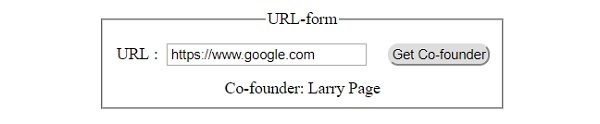
這將產生以下輸出:
單擊“獲取聯合創始人”按鈕之前:

單擊“獲取聯合創始人”按鈕之後:

更新於:2019年7月30日
143 次瀏覽

廣告