
 資料結構
資料結構 網路
網路 RDBMS
RDBMS 作業系統
作業系統 Java
Java MS Excel
 iOS
iOS HTML
HTML CSS
CSS Android
 Python
 C 語言
C 語言 C++
C++ C#
C# MongoDB
 MySQL
MySQL Javascript
 PHP
PHP 物理學
物理學 化學
化學 生物學
生物學 數學
數學 英語
英語 經濟學
經濟學 心理學
心理學 社會學
社會學 時尚研究
時尚研究 法律研究
法律研究HTML DOM Input Search maxLength 屬性
HTML DOM 輸入搜尋 maxlength 屬性用於設定或返回輸入搜尋欄位的 maxlength 屬性。maxLength 屬性指定可以在搜尋欄位中鍵入的最大字元數。
語法
以下為語法 —
設定 maxLength 屬性 —
passwordObject.maxLength = integer
此處,整數指定可以在搜尋欄位中輸入的最大字元數。其預設值為 524288。
示例
我們來看一下 maxLength 屬性的示例 —
<!DOCTYPE html>
<html>
<body>
<h1>Input Search maxLength Property</h1>
<form>
FRUITS: <input type="search" id="SEARCH1" name="fruits" maxlength="5">
</form>
<p>Increase the maximum number of characters to be entered for the above search field by clicking below button</p>
<button onclick="changeMax()">CHANGE LENGTH</button>
<p id="Sample"></p>
<script>
   function changeMax() {
      document.getElementById("SEARCH1").maxLength = "15";
      document.getElementById("Sample").innerHTML = "Maximum number of characters are increased to 15";
   }
</script>
</body>
</html>
輸出
這將生成以下輸出 —
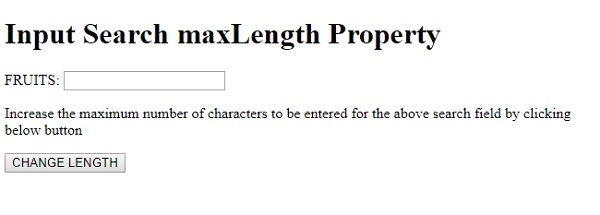
點選 LENGTH —
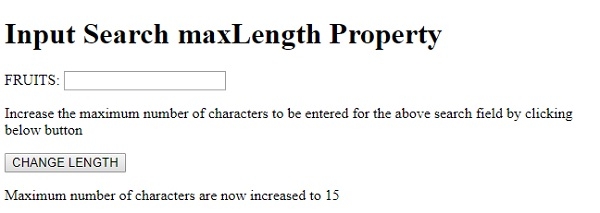
在以上示例中 —
我們首先建立了 type=”search”、id=”SEARCH1”、name=”fruits” 的 <input> 元素,並將其 maxlength 屬性設定為 5。maxlength 屬性指定給定搜尋欄位中只能有 5 個字元。搜尋欄位位於一個表單內部 —
<form> FRUITS: <input type="search" id="SEARCH1" name="fruits" maxlength="5"> </form>
我們然後建立了一個 CHANGE LENGTH 按鈕,當用戶點選該按鈕時,它將執行 changeMax() 方法 —
<button onclick="changeMax()">CHANGE LENGTH</button>
changeMax() 方法使用 getElementById() 方法獲取型別為 search 的輸入欄位,並將其 maxLength 屬性設定為 15。然後,我們將使用其 innerHTML 屬性在具有 id “Sample” 的段落中顯示訊息,從而顯示此更改 —
function changeMax() {
   document.getElementById("SEARCH1").maxLength = "15";
   document.getElementById("Sample").innerHTML = "Maximum number of characters are now increased to 15";
}

更新於: 2019 年 8 月 19 日
107 次瀏覽

廣告