
 資料結構
資料結構 網路
網路 RDBMS
RDBMS 作業系統
作業系統 Java
Java MS Excel
 iOS
iOS HTML
HTML CSS
CSS Android
 Python
 C 程式設計
 C++
C++ C#
C# MongoDB
 MySQL
MySQL Javascript
 PHP
PHP 物理
物理 化學
化學 生物
生物 數學
數學 英語
英語 經濟學
經濟學 心理學
心理學 社會學
社會學 服裝設計
服裝設計 法律研究
法律研究HTML DOM Input Month 物件
HTML DOM input month 物件表示 type=”month” 的 <input> 元素。
讓我們建立一個 input month 物件 -
語法
以下是語法 -
var monthInput = document.createElement(“INPUT”);
monthInput.setAttribute(“type”,”month”);
屬性
以下是 HTML DOM input month 物件的屬性 -
| 屬性 | 解釋 |
|---|---|
| autocomplete | 它返回並更改月份輸入欄位的 autocomplete 屬性值。 |
| autofocus | 它返回並修改頁面載入時是否應使月份輸入欄位獲得焦點。 |
| disabled | 它返回並修改月份輸入欄位是否被停用。 |
| defaultValue | 它返回並更改月份輸入欄位的預設值。 |
| form | 它返回包含 HTML 文件中月份輸入欄位的表單的引用。 |
| list | 它返回包含月份輸入欄位的資料列表的引用。 |
| max | 它返回並修改月份輸入欄位的 max 屬性值。 |
| min | 它返回並修改月份輸入欄位的 min 屬性值。 |
| name | 它返回並更改月份輸入欄位的 name 屬性值。 |
| readOnly | 它返回並修改月份輸入欄位是否為只讀。 |
| required | 它返回並修改在提交表單之前是否必須填寫月份欄位。 |
| step | 它返回並更改月份輸入欄位的 step 屬性值。 |
| type | 它返回月份輸入欄位的 type 屬性值。 |
| value | 它返回並修改月份輸入欄位的 value 屬性內容。 |
方法
以下是 HTML DOM input month 物件的方法
| 方法 | 解釋 |
|---|---|
| stepUp() | 它根據其引數中指定的值遞增月份輸入欄位的值。 |
| stepDown() | 它根據其引數中指定的值遞減月份輸入欄位的值。 |
示例
讓我們看看 HTML DOM input month 物件的示例 -
<!DOCTYPE html>
<html>
<head>
<style>
   body{
      text-align:center;
      background-color:#fff;
      color:#0197F6;
   }
   h1{
      color:#23CE6B;
   }
   .btn{
      background-color:#fff;
      border:1.5px dashed #0197F6;
      height:2rem;
      border-radius:2px;
      width:60%;
      margin:2rem auto;
      display:block;
      color:#0197F6;
      outline:none;
      cursor:pointer;
   }
</style>
</head>
<body>
<h1>DOM Input month Object Example</h1>
<button onclick="createMonthField()" class="btn">Create an input month field</button>
<script>
   function createMonthField() {
      var monthInput = document.createElement("INPUT");
      monthInput.setAttribute("type", "month");
      monthInput.setAttribute("value", "2019-07");
      document.body.appendChild(monthInput);
   }
</script>
</body>
</html>
輸出
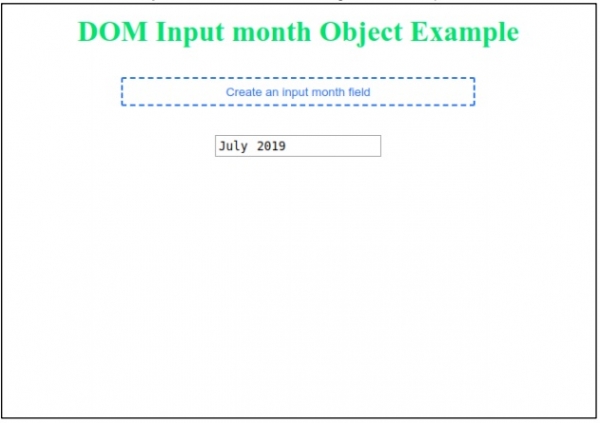
這將產生以下輸出 -
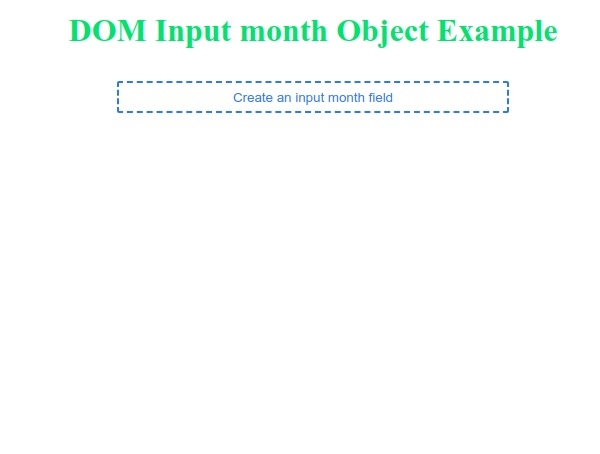
點選“建立月份輸入欄位”按鈕以生成月份輸入欄位 -

更新於: 2019-07-30
105 次檢視

廣告