
 資料結構
資料結構 網路
網路 RDBMS
RDBMS 作業系統
作業系統 Java
Java MS Excel
 iOS
iOS HTML
HTML CSS
CSS Android
 Python
 C 程式設計
 C++
C++ C#
C# MongoDB
 MySQL
MySQL Javascript
 PHP
PHP 物理
物理 化學
化學 生物
生物 數學
數學 英語
英語 經濟學
經濟學 心理學
心理學 社會學
社會學 時尚研究
時尚研究 法律研究
法律研究HTML DOM 輸入 檔案上傳檔案屬性
HTML DOM FileUpload 檔案屬性返回一個 FileList 物件,其中包含檔案上傳按鈕選擇的所有檔案。
語法
以下為語法 −
object.files
示例
讓我們看一個 FileUpload 檔案屬性的示例 −
<!DOCTYPE html>
<html>
<head>
<style>
   body{
      text-align:center;
      background-color:#52B2CF;
      color:#fff;
   }
   .btn{
      background-color:coral;
      border:none;
      height:2rem;
      border-radius:50px;
      width:60%;
      margin:1rem auto;
      display:block;
      color:#fff;
      outline:none;
   }
   .show{
      font-size:1.2rem;
      color:#fff;
      font-weight:bold;
   }
</style>
</head>
<body>
<h1>DOM FileUpload files Property Example</h1>
<p>Select some files</p>
<input type="file" class="file-upload-btn" multiple>
<button onclick = "showFiles()" class = "btn">Click me to see all selected file</button>
<div class="show"></div>
<script>
   function showFiles() {
      var fileBtn = document.querySelector(".file-upload-btn");
      var showMsg = document.querySelector(".show");
      showMsg.innerHTML='';
      if(fileBtn.files.length === 0){
         showMsg.innerHTML = "Please select at least one file!!";
      } else {
         showMsg.innerHTML = "You selected these files:";
         for(let i=0;i<fileBtn.files.length;i++) {
            showMsg.innerHTML += '<p>' + fileBtn.files[i].name + '<p>';
         }
      }
   }
</script>
</body>
</html>
輸出
這將產生如下輸出 −
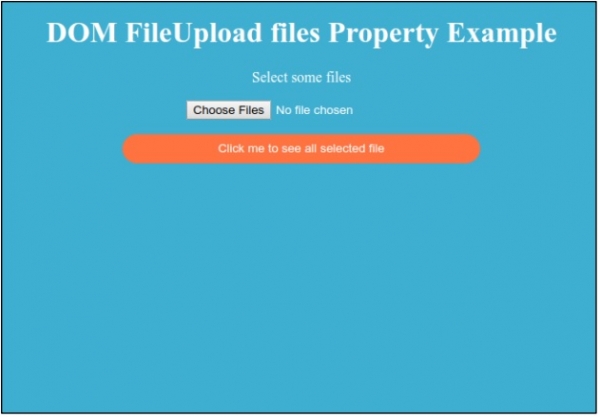
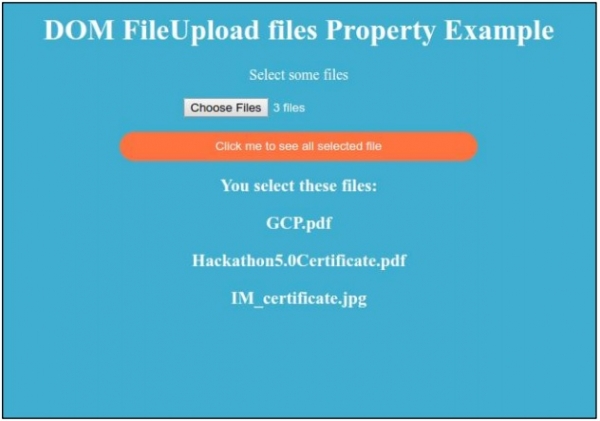
單擊“點選我檢視所有選擇的檔案”按鈕以顯示所有選擇的檔案。

更新於: 30-Jul-2019
118 次檢視

廣告