
 資料結構
資料結構 網路
網路 RDBMS
RDBMS 作業系統
作業系統 Java
Java MS Excel
 iOS
iOS HTML
HTML CSS
CSS Android
 Python
 C 程式設計
 C++
C++ C#
C# MongoDB
 MySQL
MySQL Javascript
 PHP
PHP 物理學
物理學 化學
化學 生物學
生物學 數學
數學 英語
英語 經濟學
經濟學 心理學
心理學 社會學
社會學 時尚研究
時尚研究 法律研究
法律研究HTML
<button> 元素的 autofocus 屬性用於在頁面載入時將焦點設定到按鈕上。
以下是語法 −
<button type="button" autofocus>
以上,我們已經將 autofocus 設定為某個按鈕。現在讓我們來看一個示例來實現 <button> 元素的 autofocus 屬性 −
示例
<!DOCTYPE html>
<html>
<body>
   <h2>Demo Heading</h2>
   <p>This is a demo line.</p>
   <button type="button" autofocus >Demo</button>
</body>
</html>
輸出
這將產生以下輸出,顯示焦點在按鈕 1 上 −
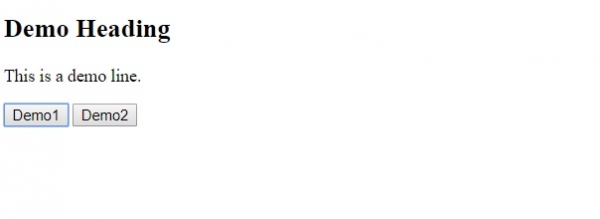
在以上示例中,我們為按鈕元素設定了 autofocus 屬性 −
<button type="button" autofocus >
   Demo
</button>
現在,當頁面載入時,焦點將放在按鈕本身上,並且訪客將在網頁上看到這一點。

更新時間: 29-6 月 2020
222 次瀏覽

廣告