
 資料結構
資料結構 網路
網路 關係資料庫管理系統
 作業系統
作業系統 Java
Java MS Excel
 iOS
iOS HTML
HTML CSS
CSS 安卓
安卓 Python
 C 語言程式設計
 C++
C++ C#
C# MongoDB
 MySQL
MySQL Javascript
 PHP
PHP 物理
物理 化學
化學 生物
生物 數學
數學 英語
英語 經濟學
經濟學 心理學
心理學 社會學
社會學 時尚學
時尚學 法律學
法律學HTMLalt 屬性
<area> 元素的 alt 屬性用於設定區域的備用文字。當影像由於網路、載入問題、錯誤等原因無法顯示時,會顯示該備用文字,即 alt。
下面是語法 −
<area alt="text">
此處,文字是要設定的 alt 文字。
我們現在來看一個示例,以實現 <area> 元素的 alt 屬性 −
示例
<!DOCTYPE html>
<html>
<body>
<h2>Learning</h2>
<p>Learn these technologies with ease....</p>
<img src = /images/usemap.gif alt = "usemap" border = "0" usemap = "#tutorials"/>
<map name = "tutorials">
   <area shape = "poly" coords = "74,0,113,29,98,72,52,72,38,27"
   href = "/perl/index.htm" alt = "Perl Tutorial" target = "_blank" />
   <area shape = "rect" coords = "22,83,126,125" alt = "HTML Tutorial"
   href = "/html/index.htm" target = "_blank" />
   <area shape = "circle" coords = "73,168,32" alt = "PHP Tutorial"
   href = "/php/index.htm" target = "_blank" />
</map>
</body>
</html>
輸出
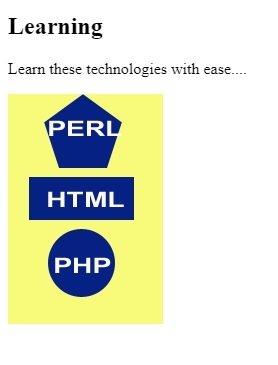
在上面的示例中,我們已經在以下影像上設定了地圖 −
<img src = /images/usemap.gif alt = "usemap" border = "0" usemap = "#tutorials"/>
現在,我們已經為該影像中的形狀設定了地圖和區域 −
<map name = "tutorials">
   <area shape = "poly" coords = "74,0,113,29,98,72,52,72,38,27"
   href = "/perl/index.htm" alt = "Perl Tutorial" target = "_blank" />
   <area shape = "rect" coords = "22,83,126,125" alt = "HTML Tutorial"
   href = "/html/index.htm" target = "_blank" />
   <area shape = "circle" coords = "73,168,32" alt = "PHP Tutorial"
   href = "/php/index.htm" target = "_blank" />
</map>
在設定區域時,還使用 alt 屬性設定了 alt −
<area shape = "poly" coords = "74,0,113,29,98,72,52,72,38,27" href = "/perl/index.htm" alt = "Perl Tutorial" target = "_blank" />

更新時間: 30-07-2019
223 次瀏覽

廣告