
 資料結構
資料結構 網路
網路 關係資料庫管理系統
 作業系統
作業系統 Java
Java MS Excel
 iOS
iOS HTML
HTML CSS
CSS Android
 Python
 C 程式設計
 C++
C++ C#
C# MongoDB
 MySQL
MySQL Javascript
 PHP
PHP 物理學
物理學 化學
化學 生物學
生物學 數學
數學 英語
英語 經濟學
經濟學 心理學
心理學 社會學
社會學 時尚研究
時尚研究 法律研究
法律研究如何在 PHP 中使用 imagesettile() 函式設定用於填充的瓦片影像?
imagesettile() 是 PHP 中的一個內建函式,用於設定用於填充的瓦片影像。它設定了在使用特殊顏色 IMG_COLOR_TILED 進行填充時,所有區域填充函式(如 imagefill() 和 imagefilledpolygon())將使用的影像。
我們可以說,瓦片是一張用於以重複模式填充區域的影像。我們可以使用任何 GD 影像作為瓦片。
語法
bool imagesettile($image, $tile)
引數
imagesettile() 接受兩個引數:$image 和 $tile。
$image − 儲存一個 GD 影像。
$tile − $tile 引數用於設定影像資源作為瓦片。
返回值
imagesettile() 在成功時返回 True,失敗時返回 False。
示例 1
<?php
   // Load the PNG image by using imagecreatefrompng() function.
   $image = imagecreatefrompng('C:\xampp\htdocs\Images\img27.png');

   // Create an image of 700x300 size
   $img = imagecreatetruecolor(700, 300);

   // Set the image tile
   imagesettile($img, $image);

   // Make the image repeat and IMG_COLOR_TILED is used
   imagefilledrectangle($img, 0, 0, 300, 199, IMG_COLOR_TILED);
   // Output an image to the browser
   header('Content-Type: image/png');
   imagepng($img);
   imagedestroy($img);
   imagedestroy($image);
?>
輸入影像
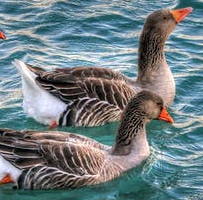
輸出影像
.jpg)
示例 2
<?php
   // Load the PNG image by using imagecreatefrompng() function.
   $image = imagecreatefrompng('C:\xampp\htdocs\Images\img27.png');

   // Create an image of 700x400 size
   $img = imagecreatetruecolor(700, 400);

   // Set the image tile
   imagesettile($img, $image);

   // Make the image repeat, IMG_COLOR_TILED is used
   imagefilledrectangle($img, 0, 0, 390, 370, IMG_COLOR_TILED);

   // Output an image to the browser
   header('Content-Type: image/png');
   imagepng($img);
   imagedestroy($img);
   imagedestroy($image);
?>
輸出
.jpg)

更新於: 2021-08-09
329 次檢視

廣告