
 資料結構
資料結構 網路
網路 關係資料庫管理系統 (RDBMS)
 作業系統
作業系統 Java
Java MS Excel
 iOS
iOS HTML
HTML CSS
CSS Android
 Python
 C語言程式設計
 C++
C++ C#
C# MongoDB
 MySQL
MySQL Javascript
 PHP
PHP 物理學
物理學 化學
化學 生物學
生物學 數學
數學 英語
英語 經濟學
經濟學 心理學
心理學 社會學
社會學 服裝設計
服裝設計 法學
法學如何使用JavaScript讀取和寫入檔案?
檔案讀取和寫入操作可以使用特定的命令完成。首先必須匯入執行這些操作所需的模組。所需的模組是“fs”,在Node.js中稱為檔案系統模組。
檔案寫入操作
匯入檔案系統檔案後,呼叫writeFile()操作。writeFile()方法用於在JavaScript中寫入檔案。
語法
writeFile(path, inputData, callBackFunc)
引數
writeFile()函式接受如下三個引數。
- 路徑:第一個引數是檔案的路徑或將輸入資料寫入的檔名。
- inputData:第二個引數是輸入資料,包含要寫入已開啟檔案的資料。
- callBackFunc:第三個引數是回撥函式,它將錯誤作為引數,並在寫入操作失敗時顯示錯誤。
如果檔案已存在,則檔案中的內容將被刪除,並更新使用者提供的輸入;如果檔案不存在,則將在給定路徑中建立該檔案,並將輸入資訊寫入其中。
示例程式碼
以下是JavaScript中檔案寫入操作的示例。
const fs = require('fs')
let fInput = "You are reading the content from Tutorials Point"
fs.writeFile('tp.txt', fInput, (err) => {
   if (err) throw err;
   else{
      console.log("The file is updated with the given data")
   }
})
輸出
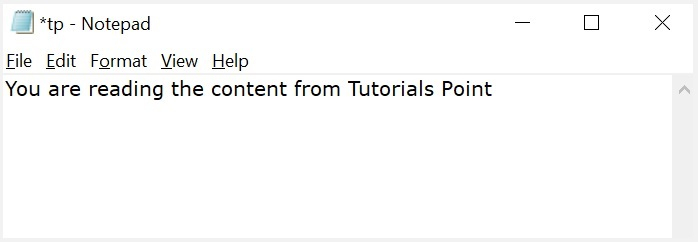
這不會在這裡建立一個檔案。如果本地執行程式碼,它將有效。如果開啟檔案,您可以看到其中寫入的資料,如下所示。
The file is updated with the given data
檔案讀取操作
匯入檔案系統模組後,可以使用readFile()函式在JavaScript中讀取檔案。
語法
readFile(path, format, callBackFunc)
引數
readFile()函式接受如下三個引數。
- 路徑:第一個引數是要讀取內容的測試檔案的路徑。如果當前位置或目錄與要開啟和讀取的檔案所在的目錄相同,則只需提供檔名。
- 格式:第二個引數是可選引數,它是文字檔案的格式。格式可以是ASCII、utf-8等。
- CallBackFunc:第三個引數是回撥函式,它將錯誤作為引數,並顯示任何由於錯誤引起的故障。
示例程式碼
此程式碼將讀取在上一個示例中填充的檔案的內容並打印出來。
const fs = require('fs')
fs.readFile('tp.txt', (err, inputD) => {
   if (err) throw err;
      console.log(inputD.toString());
})
輸出
以下是上述示例的輸出。
You are reading the content from Tutorials Point
讀取和寫入檔案
以下是上述使用Node.js上的fs模組讀取和寫入檔案的組合示例。讓我們建立一個名為main.js的JS檔案,其中包含以下程式碼。
示例程式碼
var fs = require("fs");
console.log("Going to write into existing file");

// Open a new file with name input.txt
// and write Simply Easy Learning! to it.
fs.writeFile('input.txt', 'Simply Easy Learning!', function(err) {
   console.log("Data written successfully!");
   console.log("Let's read newly written data");

   // Read the newly written file and print
   // all of its content on the console
   fs.readFile('input.txt', function (err, data) {
      console.log("Asynchronous read: " + data.toString());
   });
});
輸出
Going to write into existing file
Data written successfully!
Let's read newly written data
Asynchronous read: Simply Easy Learning!

更新於: 2024年11月13日
75K+ 瀏覽量

廣告