
 資料結構
資料結構 網路
網路 關係型資料庫管理系統
 作業系統
作業系統 Java
Java MS Excel
 iOS
iOS HTML
HTML CSS
CSS Android
 Python
 C 程式設計
 C++
C++ C#
C# MongoDB
 MySQL
MySQL Javascript
 PHP
PHP 物理學
物理學 化學
化學 生物學
生物學 數學
數學 英語
英語 經濟學
經濟學 心理學
心理學 社會學
社會學 服裝設計
服裝設計 法律研究
法律研究如何使用tkinter將物件放置在框架的中間?
要將物件放置在框架的中間,我們可以使用**place**方法。讓我們舉個例子看看它是如何實現的。
步驟 -
匯入所需的庫並建立tkinter框架的例項。
使用**win.geometry**方法設定框架的大小。
接下來,建立一個按鈕併為其新增標籤。
使用place方法透過提供**x**和**y**座標值來設定按鈕的位置。
將小部件的中心放置在按鈕小部件相對x和y位置的**0.5**處**(relx=0.5, rely=0.5)**。透過提供**"anchor=CENTER"**將錨點設定為中心。
最後,執行應用程式視窗的**mainloop**。
示例
# Import the Tkinter library
from tkinter import *
from tkinter import ttk

# Create an instance of Tkinter frame
win = Tk()

# Define the geometry
win.geometry("750x350")

# Create Buttons in the frame
button = ttk.Button(win, text="Button at the Center")
button.place(relx=0.5, rely=0.5, anchor=CENTER)

win.mainloop()
輸出
執行此程式碼時,將顯示以下輸出視窗 -
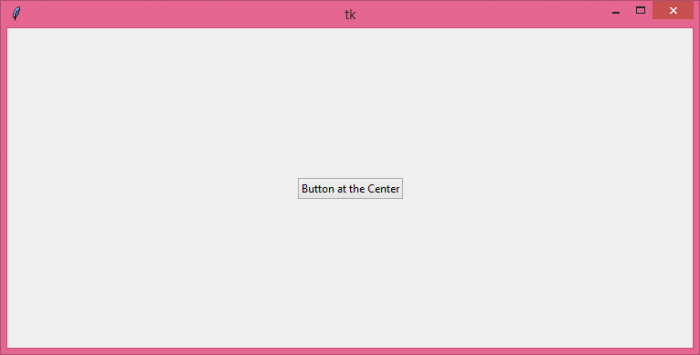
現在,嘗試調整視窗大小,您會注意到按鈕小部件會自動相應地居中。

更新於: 2021年10月26日
4K+ 瀏覽量

廣告