
 資料結構
資料結構 網路
網路 RDBMS
RDBMS 作業系統
作業系統 Java
Java MS Excel
 iOS
iOS HTML
HTML CSS
CSS Android
 Python
 C 語言程式設計
 C++
C++ C#
C# MongoDB
 MySQL
MySQL Javascript
 PHP
PHP 物理
物理 化學
化學 生物
生物 數學
數學 英語
英語 經濟學
經濟學 心理學
心理學 社會研究
社會研究 時尚研究
時尚研究 法律研究
法律研究如何使用 Selenium 從網頁中提取文字並將其另存為文字檔案?
我們可以使用 Selenium webdriver 從網頁中提取文字,並使用 getText 方法將其另存為文字檔案。它可以提取顯示的元素(而不是被 CSS 隱藏的元素)的文字。
我們必須使用任何一種定位器在頁面上找到元素,例如 id、class、name、xpath、css、tag name、link text 或 partial link text。獲取文字後,我們將使用 File 類將其內容寫入檔案。
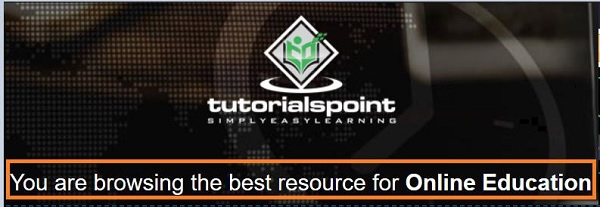
讓我們獲取以下頁面中的文字 - 您正在瀏覽 Online Education 的最佳資源 -
示例
import org.openqa.selenium.By;
import org.openqa.selenium.WebDriver;
import org.openqa.selenium.WebElement;
import org.openqa.selenium.firefox.FirefoxDriver;
import java.util.concurrent.TimeUnit;
import java.io.File;
import java.io.IOException;
import org.apache.commons.io.FileUtils;
import java.nio.charset.Charset;
public class GetTxtSaveFile{
   public static void main(String[] args) {
      System.setProperty("webdriver.gecko.driver",
         "C:\Users\ghs6kor\Desktop\Java\geckodriver.exe");
      WebDriver driver = new FirefoxDriver();
      //implicit wait
      driver.manage().timeouts().implicitlyWait(5, TimeUnit.SECONDS);
      //URL launch
      driver.get("https://tutorialspoint.tw/index.htm");
      // identify element
      WebElement e = driver.findElement(By.tagName("h4"));
      //obtain text
      String s = e.getText();
      //write text to file

      File f = new File("savetxt.txt");
      try{
         FileUtils.writeStringToFile(f, s, Charset.defaultCharset());
      }catch(IOException exc){
         exc.printStackTrace();
      }
      driver.quit();
   }
}
輸出
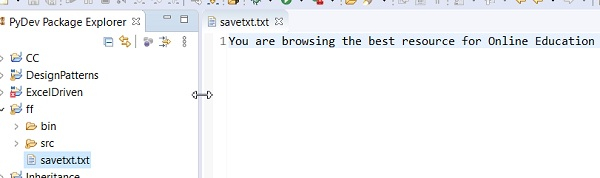
savetxt.txt 檔案會在專案中生成,其中捕獲自該頁面的文字。

更新於: 06-04-2021
4K+ 瀏覽次數

廣告