
 資料結構
資料結構 網路
網路 關係型資料庫管理系統
 作業系統
作業系統 Java
Java MS Excel
 iOS
iOS HTML
HTML CSS
CSS Android
 Python
 C 程式設計
 C++
C++ C#
C# MongoDB
 MySQL
MySQL Javascript
 PHP
PHP 物理學
物理學 化學
化學 生物學
生物學 數學
數學 英語
英語 經濟學
經濟學 心理學
心理學 社會學
社會學 服裝設計
服裝設計 法律研究
法律研究如何在 iOS 中檢測長按?
長按(也稱為按住)手勢檢測一個或多個手指觸控式螢幕幕持續一段時間。您可以配置識別按壓所需的最小持續時間以及手指必須觸控式螢幕幕的次數。(手勢識別器僅由觸控的持續時間觸發,而不是由與其相關的力度觸發。)您可以使用長按手勢來啟動對正在按壓的物件的操作。例如,您可以使用它來顯示上下文選單。
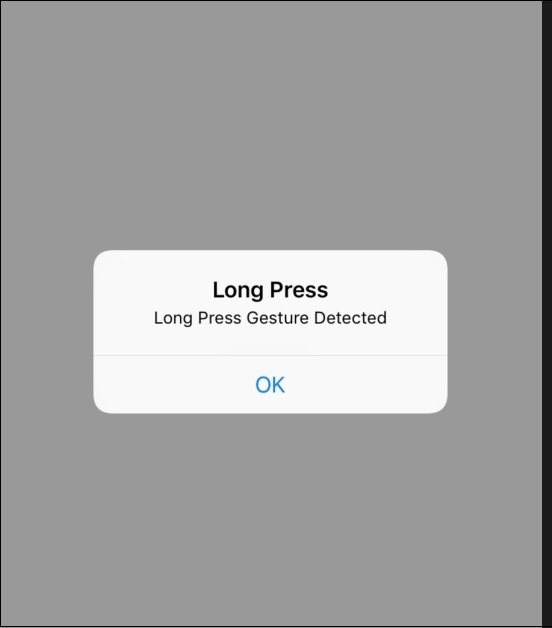
這裡我們將設計一個簡單的應用程式,我們將在其中按住一個按鈕一段時間(長按),它將顯示一個警報。
所以讓我們開始吧。
步驟 1 − 開啟 Xcode → 新建專案 → 單檢視應用程式 → 讓我們將其命名為“LongPressGesture”
步驟 2 − 在 Main.storyboard 中新增一個按鈕並建立其 @IBOutlet,並將其命名為“btnLongOutlet”
步驟 3 − 現在開啟 ViewController.swift 並建立一個 UILongPressGestureRecognizer() 的物件
var longgesture = UILongPressGestureRecognizer
步驟 4 − 在 viewDidLoad() 中新增以下程式碼:
longgesture = UILongPressGestureRecognizer(target: self, action: #selector(ViewController.longPress(_:)))
longgesture.minimumPressDuration = 2
btnLongOutlet.addGestureRecognizer(longgesture)
步驟 5 − 建立一個函式 longPress 並新增以下程式碼:
@objc func longPress(_ sender: UILongPressGestureRecognizer) {
   let alertController = UIAlertController(title: "Long Press", message:
      "Long Press Gesture Detected", preferredStyle: .alert)
      alertController.addAction(UIAlertAction(title: "OK", style: .default,handler: nil))
   present(alertController, animated: true, completion: nil)
}
步驟 6 − 然後你就完成了,執行應用程式,確保你點選按鈕 2 秒鐘。

更新於: 2019年7月30日
837 次瀏覽

廣告