
 資料結構
資料結構 網路
網路 關係型資料庫管理系統
 作業系統
作業系統 Java
Java MS Excel
 iOS
iOS HTML
HTML CSS
CSS Android
 Python
 C 語言程式設計
 C++
C++ C#
C# MongoDB
 MySQL
MySQL Javascript
 PHP
PHP 物理學
物理學 化學
化學 生物學
生物學 數學
數學 英語
英語 經濟學
經濟學 心理學
心理學 社會學
社會學 時尚研究
時尚研究 法律研究
法律研究如何使用 CSS 建立固定社交媒體圖示欄?
以下是使用 CSS 製作固定社交媒體圖示欄的程式碼 −
示例
<!DOCTYPE html>
<html>
<head>
<link href="https://stackpath.bootstrapcdn.com/font-awesome/4.7.0/css/font-awesome.min.css" rel="stylesheet"
   integrity="sha384-wvfXpqpZZVQGK6TAh5PVlGOfQNHSoD2xbE+QkPxCAFlNEevoEH3Sl0sibVcOQVnN" crossorigin="anonymous" />
<style>
*,
*::before,
*::after {
   box-sizing: border-box;
}
main {
   margin-left: 300px;
}
.SocialBar {
   position: fixed;
   display: block;
   top: 30%;
   font-size: 0;
   width: 200px;
   border: 2px solid darkgreen;
   box-shadow: 5px 10px 18px rgb(55, 173, 39);
}
button {
   display: block;
   width: 100%;
   margin: 0px;
   border: none;
   padding: 15px;
   font-family: "Segoe UI", Tahoma, Geneva, Verdana, sans-serif;
   font-weight: bold;
   font-size: 20px;
}
button:not(:last-child) {
   border-bottom: 2px solid rgb(6, 134, 49);
}
button:hover {
   background: black;
   box-shadow: 5px 10px 18px rgb(20, 20, 20);
}
</style>
</head>
<body>
<div class="SocialBar">
<button><i class="fa fa-facebook-f" style="color:#3B5998"></i></button>
<button><i class="fa fa-hashtag" style="color:#55ACEE"></i></button>
<button><i class="fa fa-linkedin" style="color:#007bb5"></i></button>
</div>
<main>
<h1>Social Media Links</h1>
<h2>Hover over the above links to see hover effects</h2>
<h2>Visit us on any of the above social media</h2>
<h3>Lorem ipsum dolor sit amet, consectetur adipiscing elit. In fringilla, enim a fringilla semper,
neque eros aliquam massa, ut porta arcu justo et metus. In aliquet justo non lorem condimentum,
in rutrum lorem vestibulum. Aliquam et ornare tellus. Mauris eu nisi ac ante vestibulum fermentum
ac nec enim. Integer sed aliquet nisi. Nullam semper lorem sed sem gravida, in euismod urna posuere.
Cras porta neque non sapien maximus placerat. Morbi imperdiet faucibus orci. Maecenas eu ipsum metus.
</h3>
</main>
</body>
</html>
輸出
上述程式碼將產生以下輸出 −
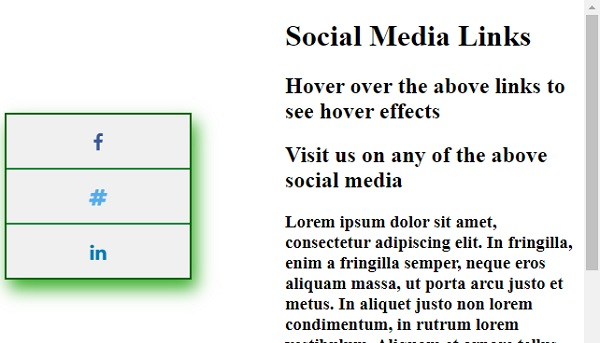
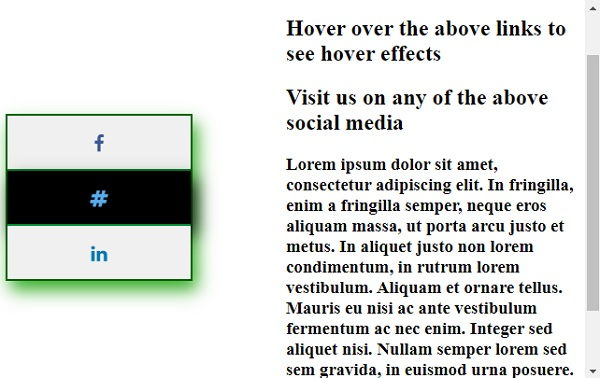
在頁面中滾動並懸停在一個社交媒體圖示上 −

更新時間: 06-4-2020
433 次瀏覽

Advertisements