
 資料結構
資料結構 網路
網路 RDBMS
RDBMS 作業系統
作業系統 Java
Java MS Excel
 iOS
iOS HTML
HTML CSS
CSS Android
 Python
 C 程式設計
 C++
C++ C#
C# MongoDB
 MySQL
MySQL JavaScript
 PHP
PHP 物理學
物理學 化學
化學 生物學
生物學 數學
數學 英語
英語 經濟學
經濟學 心理學
心理學 社會學
社會學 時尚
時尚 法律
法律如何使用 Python Tkinter 更改 MessageBox 的位置
假設我們想使用 tkinter建立一個對話方塊。要建立對話方塊,我們可以使用 MessageBox 庫,其中包含許多函式,可以快速建立多種對話方塊型別。
要調整所建立的對話方塊的位置,我們可以使用其“toplevel”屬性,該屬性尤其先於當前視窗且將所有其他程序保留在後端。
它包含一些其他函式,如標題、訊息和詳細資訊。要改變 MessageBox 小部件的位置,我們將使用geometry方法。
示例
#import the tkinter library

from tkinter import *

#define the messagebox function
def messagebox():

#toplevel function creates MessageBox dialog which appears on top of the screen
   top=Toplevel(win)
   top.title("Click Me")
   #Define the position of the MessageBox
   x_position = 600
   y_position = 400
   top.geometry(f"600x200+{x_position}+{y_position}")
   #Define the property of the messageBox
   l1=Label(top, text= "Hello! TutorialsPoint",bg= "green", fg=
"white",font=('Times New Roman', 24),height=50, width= 50).pack()

#Create an instance of the tkinter frame
#And resize the frame
win = Tk()
win.geometry("600x200")
win.title("Window-1")
Button(win, text="Click Me", command=messagebox,
width=8).pack(pady=80)

win.mainloop()
輸出
執行以上程式碼將生成以下視窗輸出。
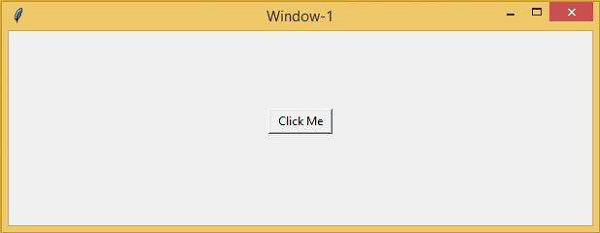
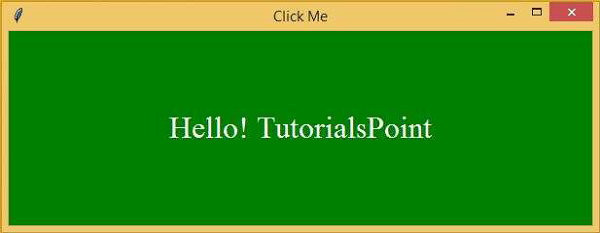
單擊“單擊我”按鈕時,將開啟以下對話方塊,可以稍後對其進行定位。

更新於:2021 年 3 月 4 日
2K+ 檢視

廣告