
 資料結構
資料結構 網路
網路 關係資料庫管理系統 (RDBMS)
 作業系統
作業系統 Java
Java MS Excel
 iOS
iOS HTML
HTML CSS
CSS Android
 Python
 C 程式設計
 C++
C++ C#
C# MongoDB
 MySQL
MySQL Javascript
 PHP
PHP 物理學
物理學 化學
化學 生物學
生物學 數學
數學 英語
英語 經濟學
經濟學 心理學
心理學 社會學
社會學 時尚研究
時尚研究 法學研究
法學研究如何在 ReactJS 中新增影片播放器?
要在 ReactJS 中新增影片播放器,我們首先需要安裝一個影片播放器庫,例如“react-player”或“react-video-js”。接下來,我們匯入庫並在我們的 JSX 程式碼中使用指定的元件。最後,我們將必要的屬性(例如影片源和任何自定義選項)提供給元件。
讓我們首先了解什麼是 ReactJS。React 是一個用於構建使用者介面的 JavaScript 庫。它使建立互動式 UI 變得容易。為應用程式中的每個狀態設計簡單的檢視,當您的資料更改時,React 將高效地更新和渲染正確的元件。您還可以構建管理自身狀態的封裝元件,然後將它們組合起來以建立複雜的 UI。
ReactJS 可以建立小型和大型的複雜應用程式。它提供了一個基本但可靠的功能集,可以啟動 Web 應用程式。它易於掌握現代和舊版應用程式,並且是編碼功能的更快方法。React 提供了大量現成的元件。
現在,讓我們討論如何實現相同的功能。
首先,建立一個新的 ReactJS 應用程式,並在我們的開發伺服器上執行它,如下所示:
npx create-react-app video-app
cd video-app
npm start
方法
安裝“react-player”包:
npm install react-player
在您的元件檔案中匯入“react-player”元件:
import ReactPlayer from 'react-player'
將“react-player”元件新增到您希望影片播放器顯示的 JSX 程式碼中:
<ReactPlayer url={'path/to/video'} controls={true} />
確保影片檔案已正確匯入或在專案中引用。
執行應用程式,影片播放器應該會顯示在頁面上。
您可以使用不同的屬性(例如寬度、高度、控制元件、迴圈等)來自定義播放器。
您還可以使用“onPlay”和“onPause”事件來跟蹤影片播放器的狀態:
<ReactPlayer url={'path/to/video'} controls={true} onPlay={() => console.log('video is playing')} onPause={() => console.log('video is paused')} />
您還可以使用“ref”屬性來訪問元件中播放器的狀態和方法:
const playerRef = useRef(null);
<ReactPlayer ref={playerRef} url={'path/to/video'} controls={true} />
示例
PlayerComponent.js
import ReactPlayer from 'react-player';
import React, { useRef } from 'react';
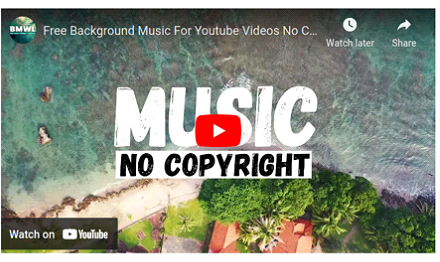
const VIDEO_PATH = 'https://youtu.be/0BIaDVnYp2A';
function PlayerComponent() {
   const playerRef = useRef(null);
   return (
      <div>
         <ReactPlayer ref={playerRef} url={VIDEO_PATH} controls={true} />
      </div>
   )
};
export default PlayerComponent;
index.js
import React, { StrictMode } from 'react';
import { createRoot } from 'react-dom/client';
import PlayerComponent from './PlayerComponent';
const rootElement = document.getElementById('root');
const root = createRoot(rootElement);
root.render(
   <StrictMode>
      <PlayerComponent />
   </StrictMode>
);
輸出

更新於:2023年2月13日
13K+ 瀏覽量

廣告