
 資料結構
資料結構 網路
網路 關係資料庫管理系統
 作業系統
作業系統 Java
Java MS Excel
 iOS
iOS HTML
HTML CSS
CSS Android
 Python
 C 程式設計
 C++
C++ C#
C# MongoDB
 MySQL
MySQL Javascript
 PHP
PHP 物理學
物理學 化學
化學 生物學
生物學 數學
數學 英語
英語 經濟學
經濟學 心理學
心理學 社會學
社會學 時尚研究
時尚研究 法律研究
法律研究如何建立一個像連結一樣工作的 HTML 按鈕?
我們可以輕鬆地建立一個充當連結並可點選的 HTML 按鈕。讓我們看看以下示例 -
- 使用 <a> 標籤建立 HTML 按鈕連結
- 使用 <form> 標籤建立 HTML 按鈕連結
- 使用 onclick 事件建立 HTML 按鈕連結
使用 <a> 標籤建立 HTML 按鈕連結
在此示例中,我們將使用 <a> 標籤建立一個連結按鈕。為此,<button> 標籤設定在 <a> 標籤內 -
<a href='https://tutorialspoint.tw/tutorialslibrary.htm'>
   <button class="mybtn">
      Tutorial Library
   </button>
</a>
新增游標到指標值,使游標看起來像是在按鈕本身上的連結被點選。這是按鈕樣式 -
.mybtn {
   background-color: white;
   text-align: center;
   display: inline-block;
   font-size: 15px;
   cursor: pointer;
}
示例
現在讓我們看看使用 <a> 標籤建立 HTML 按鈕連結的完整示例 -
<!DOCTYPE html>
<html>
<head>
   <title>Button Link</title>
   <style>
      .mybtn {
         background-color: white;
         text-align: center;
         display: inline-block;
         font-size: 15px;
         cursor: pointer;
      }
   </style>
</head>
<body>
   <h1>Free Resources</h1>
   <p>Refer the free tutorials:</p>
   <a href='https://tutorialspoint.tw/tutorialslibrary.htm'>
   <button class="mybtn">
      Tutorial Library
   </button>
   </a>
</body>
輸出
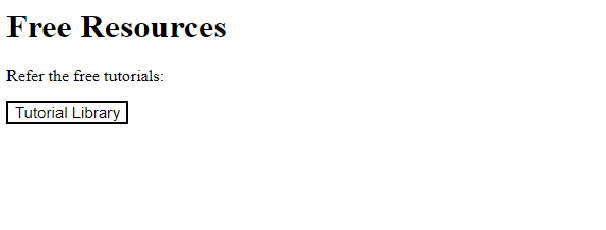
點選按鈕連結教程庫。它將開啟按鈕中新增的連結 -

使用表單標籤建立 HTML 按鈕連結
在此示例中,我們將使用 <form> 標籤建立一個連結按鈕。為此,<button> 標籤設定在 <form> 標籤內 -
<form action="https://tutorialspoint.tw/latest/ebooks">
   <button class = "mybtn" type="submit">
      Ebooks
   </button>
</form>
新增游標到指標值,使游標看起來像是在按鈕本身上的連結被點選。這是按鈕樣式 -
mybtn {
   background-color: white;
   text-align: center;
   display: inline-block;
   font-size: 15px;
   cursor: pointer;
}
示例
現在讓我們看看使用 <form> 標籤建立 HTML 按鈕連結的完整示例 -
<!DOCTYPE html>
<html>
<head>
   <title>Button Link</title>
   <style>
      .mybtn {
         background-color: white;
         text-align: center;
         display: inline-block;
         font-size: 15px;
         cursor: pointer;
      }
   </style>
</head>
<body>
   <h1>Resources</h1>
   <p>Refer the Ebooks:</p>
   <form action="https://tutorialspoint.tw/latest/ebooks">
      <button class = "mybtn" type="submit">
         Ebooks
      </button>
   </form>
</body>
輸出
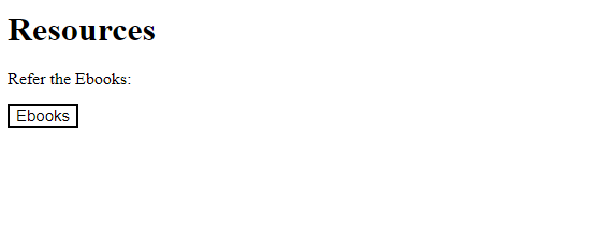
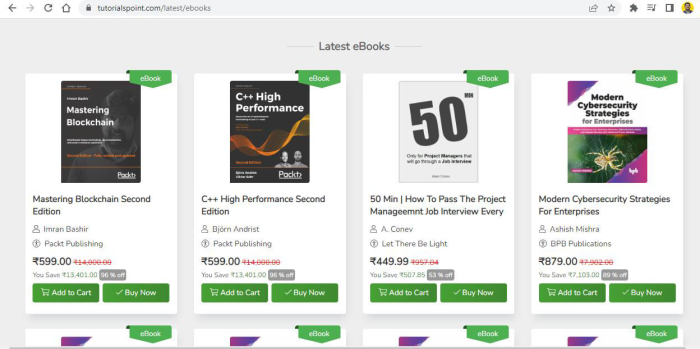
點選按鈕連結電子書。它將開啟按鈕中新增的連結 -
使用 onclick 事件建立 HTML 按鈕連結
在此示例中,我們將使用 onclick 事件建立一個連結按鈕 -
<button class="mybtn" onclick="window.location.href =
   'https://tutorialspoint.tw/codingground.htm';">
   CodingGround
</button>
新增游標到指標值,使游標看起來像是在按鈕本身上的連結被點選。這是按鈕樣式 -
mybtn {
   background-color: white;
   text-align: center;
   display: inline-block;
   font-size: 15px;
   cursor: pointer;
}
示例
現在讓我們看看使用 onclick 事件建立 HTML 按鈕連結的完整示例 -
<!DOCTYPE html>
<html>
<head>
   <title>Button Link</title>
   <style>
      .mybtn {
         background-color: white;
         text-align: center;
         display: inline-block;
         font-size: 15px;
         cursor: pointer;
      }
   </style>
</head>
<body>
   <h1>Online Compiler</h1>
   <p>Refer the complier to run programs online:</p>
   <button class="mybtn"
      onclick="window.location.href = 'https://tutorialspoint.tw/codingground.htm';">
      CodingGround
   </button>
</body>
輸出
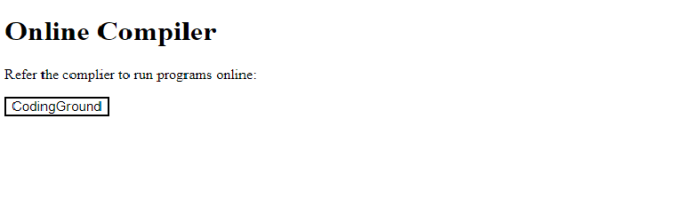
點選按鈕連結CodingGround。它將開啟按鈕中新增的連結


更新於:2022-10-25
3K+ 瀏覽量

廣告