
 資料結構
資料結構 網路
網路 RDBMS
RDBMS 作業系統
作業系統 Java
Java MS Excel
 iOS
iOS HTML
HTML CSS
CSS Android
 Python
 C 程式設計
 C++
C++ C#
C# MongoDB
 MySQL
MySQL Javascript
 PHP
PHP 物理
物理 化學
化學 生物學
生物學 數學
數學 英語
英語 經濟學
經濟學 心理學
心理學 社會學
社會學 時尚研究
時尚研究 法律研究
法律研究在 SAP ABAP 中建立資料庫檢視
在 ABAP 中,你可以利用功能模組 - DDIF_VIEW_PUT 和 DDIF_VIEW_ACTIVATE 進行檢視啟用。所有表格引數都應正確定義,否則會導致建立過程中出現錯誤。
DDIF_VIEW_PUT − ABAP 字典中寫入檢視的介面。
可以參閱以下連結瞭解更多詳細資訊 −
http://www.se80.co.uk/sapfms/d/ddif/ddif_view_put.htm
CALL FUNCTION 'DDIF_VIEW_PUT' "DD: ABAP 字典中寫入檢視的介面
EXPORTING
name = " ddname Name of the view to be written
* dd25v_wa = ' ' " dd25v View header
* dd09l_wa = ' ' " dd09v Technical settings of the view
* TABLES
* dd26v_tab = " dd26v Basis tables of the view
* dd27p_tab = " dd27p View fields
* dd28j_tab = " dd28j Join conditions of the view
* dd28v_tab = " dd28v Selection conditions of the view

EXCEPTIONS
VIEW_NOT_FOUND = 1 " Header of the view could not be found
NAME_INCONSISTENT = 2 " Name in Sources Inconsistent with NAME
VIEW_INCONSISTENT = 3 " Inconsistent Sources
PUT_FAILURE = 4 " Write Error (ROLLBACK Recommended)
PUT_REFUSED = 5 " Write not Allowed

. " DDIF_VIEW_PUT
DDIF_VIEW_ACTIVATE: Interface for activating a view
EXPORTING

name = " ddname Name of view to be activated
* auth_chk = 'X' " ddbool_d 'X': Perform authorization check for DB operations
* prid = -1 " sy-tabix ID for Log Writer
IMPORTING
rc = " sy-subrc Result of Activation
EXCEPTIONS

NOT_FOUND = 1 "View not found
PUT_FAILURE = 2 "View could not be written
. " DDIF_VIEW_ACTIVATE
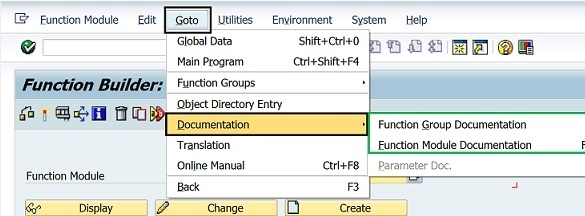
這兩個檢視都可以在 T 程式碼:SE80 或 SE37 中使用。你可以使用這兩個事務來顯示 SAP 系統中可用的 SAP 功能模組文件。
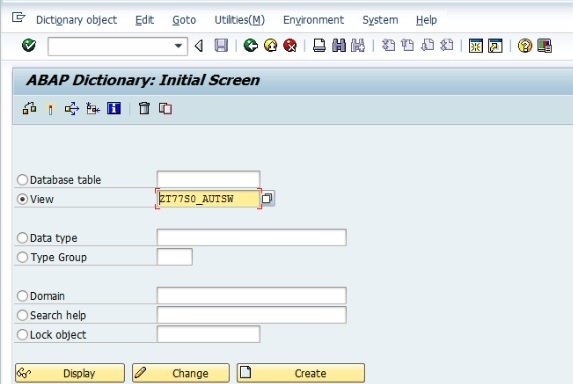
你還可以如下所示在 SAP ABAP 中建立事務程式碼 SE11 的檢視
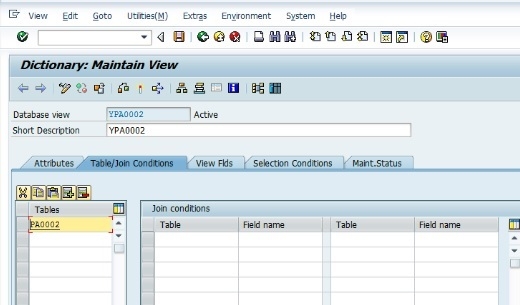
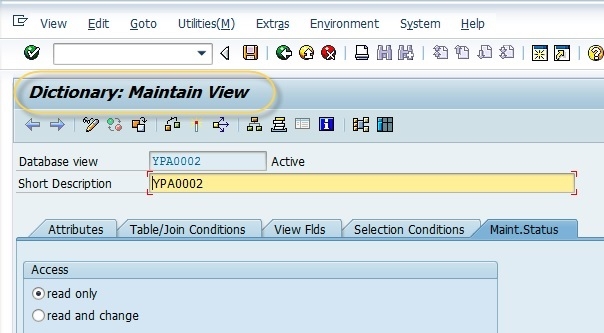
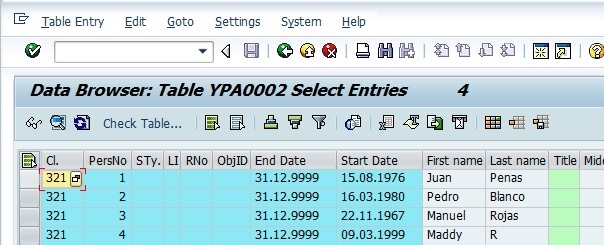
你必須維護和啟用檢視。一旦啟用,你就可以檢視標準事務程式碼 SE16 的內容,如下所示 −

更新於: 25 日 2 月 2020
931 次觀看

廣告