
 資料結構
資料結構 網路
網路 RDBMS
RDBMS 作業系統
作業系統 Java
Java MS Excel
 iOS
iOS HTML
HTML CSS
CSS Android
 Python
 C 程式設計
 C++
C++ C#
C# MongoDB
 MySQL
MySQL Javascript
 PHP
PHP 物理
物理 化學
化學 生物
生物 數學
數學 英語
英語 經濟學
經濟學 心理學
心理學 社會學
社會學 時尚研究
時尚研究 法律研究
法律研究JavaScript 中的簡潔箭頭函式
簡潔的箭頭函式語法如下:
(param1, param2) =>param1+param2
它沒有 function 關鍵字和函式主體。在引數和函式主體之間僅有 =>,如果只有一個引數,還可以這樣寫:
param1=>param1*2
如果 => 後面沒有大括號 {},則它有隱式返回。
以下是 JavaScript 中實現簡潔箭頭函式的程式碼:
範例
<!DOCTYPE html>
<html lang="en">
<head>
<meta charset="UTF-8" />
<meta name="viewport" content="width=device-width, initial-scale=1.0" />
<title>Document</title>
<style>
   body {
      font-family: "Segoe UI", Tahoma, Geneva, Verdana, sans-serif;
   }
   .result {
      font-size: 20px;
      font-weight: 500;
      color: blueviolet;
   }
</style>
</head>
<body>
<h1>Concise arrow functions</h1>
<div class="result"></div>
<button class="Btn">CLICK HERE</button>
<h3>Click on the above button to call the add() concise arrow function</h3>
<script>
   let resEle = document.querySelector(".result");
   let add = (a, b) => a + b;
   document.querySelector(".Btn").addEventListener("click", () => {
      resEle.innerHTML = "Sum of 32 and 19 =" + add(32, 19);
   });
</script>
</body>
</html>
輸出
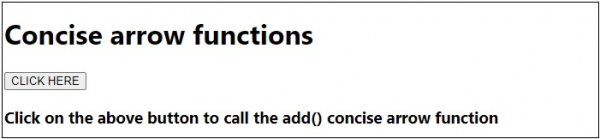
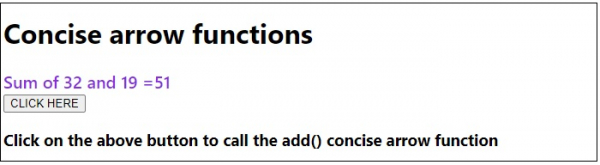
單擊“點我”按鈕時:

更新日期:17-7 月-2020
347 次瀏覽

廣告