
 資料結構
資料結構 網路
網路 關係資料庫管理系統(RDBMS)
 作業系統
作業系統 Java
Java MS Excel
 iOS
iOS HTML
HTML CSS
CSS Android
 Python
 C語言程式設計
 C++
C++ C#
C# MongoDB
 MySQL
MySQL Javascript
 PHP
PHP 物理學
物理學 化學
化學 生物學
生物學 數學
數學 英語
英語 經濟學
經濟學 心理學
心理學 社會學
社會學 服裝設計
服裝設計 法學
法學檢查Tkinter中是否存在Toplevel()物件?
Tkinter是一個流行的Python庫,用於建立圖形使用者介面 (GUI)。它提供了廣泛的小部件和功能來構建互動式應用程式。一種常見的場景是需要檢查Tkinter中是否存在Toplevel()物件。本文旨在指導您完成確定Tkinter中Toplevel()視窗是否存在的過程。我們將探討不同的技術並提供實際示例,以幫助您有效地檢查Tkinter應用程式中Toplevel()物件的存在。
理解Tkinter中的Toplevel()
在深入探討如何檢查Toplevel()物件是否存在之前,讓我們首先了解它在Tkinter中代表什麼。Toplevel()小部件充當頂級視窗或彈出對話方塊,可用於在Tkinter應用程式中建立單獨的視窗。
要建立Toplevel()視窗,通常呼叫Toplevel()建構函式並將對根視窗的引用作為其父級傳遞。這將建立一個具有自己小部件和功能集的獨立視窗。
檢查Toplevel()物件是否存在
要確定Tkinter中是否存在Toplevel()物件,我們可以採用各種方法。讓我們探討三種常見技術:
使用winfo_exists()方法
winfo_exists()方法可用於Tkinter小部件,並可用於檢查Toplevel()視窗的存在。如果視窗存在,則返回True;否則返回False。
示例
#Import the neccessary libraries
import tkinter as tk
# Create the Tkinter application
root = tk.Tk()
# Set the geometry of Tkinter Frame
root.geometry("720x250")
# Set the title of Tkinter Frame
root.title("Checking if a Toplevel object exists using the winfo_exists method")
# Create a Toplevel Window
toplevel = tk.Toplevel(root)
# Define the function to check existence of Toplevel window
def check_toplevel_exists():
   if toplevel.winfo_exists():
      print("Toplevel window exists")
   else:
      print("Toplevel window does not exist")

# Call the function
check_toplevel_exists()

# Run the Tkinter event loop
root.mainloop()
在此示例中,我們建立一個Toplevel()視窗並呼叫check_toplevel_exists()函式。如下所示:
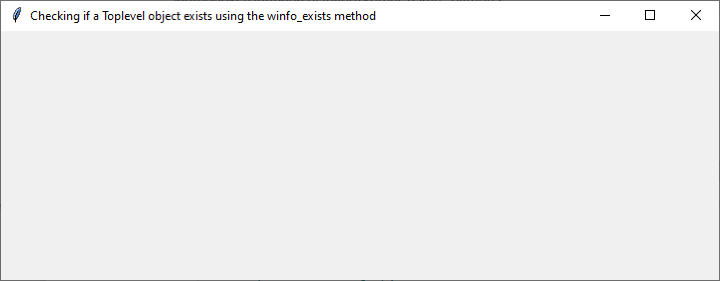
輸出
由於Toplevel()視窗存在,輸出將為“Toplevel視窗存在”。
Toplevel window exists
使用Toplevel.winfo_toplevel()方法
winfo_toplevel()方法返回小部件的頂級視窗。透過將其結果與根視窗進行比較,我們可以確定Toplevel()物件是否存在。考慮以下程式碼片段:
示例
#Import the neccessary libraries
import tkinter as tk
# Create the Tkinter application
root = tk.Tk()
# Set the geometry of Tkinter Frame
root.geometry("720x250")
# Set the title of Tkinter Frame
root.title("Checking if a Toplevel object exists using the Toplevel.winfo_toplevel() method")

# Define the function to create Toplevel window
def create_toplevel():
   global toplevel
   toplevel = tk.Toplevel(root)

# Define the function to check existence of Toplevel window
def check_toplevel_exists():
   if toplevel.winfo_toplevel() != root:
      print("Toplevel window exists")
   else:
      print("Toplevel window does not exist")

# Call the functions
create_toplevel()
check_toplevel_exists()

# Run the Tkinter event loop
root.mainloop()
在此示例中,我們建立了一個create_toplevel()函式,該函式建立一個Toplevel()視窗。然後,我們呼叫check_toplevel_exists()來檢查Toplevel()視窗是否存在。如下所示:

輸出
由於我們在檢查之前建立了Toplevel()視窗,因此輸出將為“Toplevel視窗存在”。
Toplevel window exists
使用異常處理方法
檢查Toplevel()物件是否存在的方法是使用異常處理。我們可以嘗試訪問Toplevel()視窗特有的屬性,並在發生AttributeError時進行處理。
示例
#Import the neccessary libraries
import tkinter as tk
# Create the Tkinter application
root = tk.Tk()
# Set the geometry of Tkinter Frame
root.geometry("720x250")
# Set the title of Tkinter Frame
root.title("Checking if a Toplevel object exists using an exceptional handling approach")

# Define the function to create Toplevel window
def create_toplevel():
   global toplevel
   toplevel = tk.Toplevel(root)

# Define the function to check existence of Toplevel window
def check_toplevel_exists():
   try:
      toplevel.title()
      print("Toplevel window exists")
   except AttributeError:
      print("Toplevel window does not exist")

# Call the functions
create_toplevel()
check_toplevel_exists()

# Run the Tkinter event loop
root.mainloop()
在此示例中,我們定義了create_toplevel()函式,該函式建立一個Toplevel()視窗並將其分配給toplevel變數,使用global關鍵字使其可在函式外部訪問。然後,我們呼叫check_toplevel_exists()函式來檢查Toplevel()視窗是否存在。
透過在create_toplevel()函式中定義toplevel變數並將其設定為全域性變數,我們可以避免NameError併成功檢查Toplevel()視窗的存在。
輸出

Toplevel window exists
結論
在處理複雜的GUI應用程式時,檢查Tkinter中Toplevel()物件的存在至關重要。在本文中,我們探討了完成此任務的不同技術。透過使用winfo_exists()、winfo_toplevel()和異常處理等方法,您可以有效地確定Toplevel()視窗是否存在。將這些技術整合到您的Tkinter應用程式中,將使您能夠處理視窗狀態並提供動態的使用者體驗。嘗試這些方法並根據您的具體應用程式需求進行調整。

2K+ 瀏覽量
