
 資料結構
資料結構 計算機網路
計算機網路 關係型資料庫管理系統
 作業系統
作業系統 Java
Java MS Excel
 iOS
iOS HTML
HTML CSS
CSS Android
 Python
 C 程式設計
 C++
C++ C#
C# MongoDB
 MySQL
MySQL Javascript
 PHP
PHP 物理
物理 化學
化學 生物
生物 數學
數學 英語
英語 經濟學
經濟學 心理學
心理學 社會學
社會學 時尚研究
時尚研究 法律研究
法律研究CSS 中的連結偽類
使用 CSS 偽類選擇器,即 :active、:hover、:link 和 :visited,我們可以設計連結/錨的各種狀態。為了實現正確功能,這些選擇器的順序應如下所示 −
- :link
- :visited
- :hover
- :active
CSS 偽類屬性的語法如下 −
a:(pseudo-selector) {
   /*declarations*/
}
示例
讓我們透過一個示例瞭解如何使用 CSS 錨偽類 −
<!DOCTYPE html>
<html>
<head>
<style>
div {
   display: flex;
   float: left;
}
a {
   margin: 20px;
   padding: 10px;
   border: 2px solid black;
   text-shadow: -1px 0px black, 0px -1px black, 0px 1px black, 1px 0px black;
   font-size: 1.1em;
}
a:link {
   text-decoration: none;
}
a:visited {
   color: blueviolet;
}
a:hover {
   color: orange;
   font-size: 150%;
   font-weight: bold;
   box-shadow: 0 0 5px 1px grey;
}
a:active {
   color: red;
   box-shadow: inset 0 0 15px red;
}
</style>
</head>
<body>
<div>
<h2>Your favourite sports?</h2>
<a href="#">Football</a>
<a href="">Cricket</a>
</div>
</body>
</html>
輸出
初始輸出 −
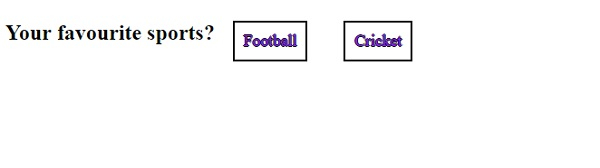
將滑鼠懸停在第一個連結上,我們得到以下輸出
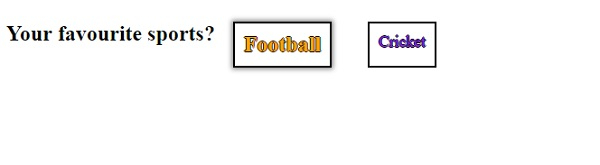
單擊第一個連結時,返回以下輸出 −
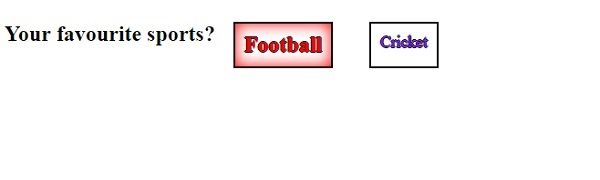
我們來看另一個 CSS 錨偽類的示例 −
示例
<!DOCTYPE html>
<html>
<head>
<title>CSS Anchor Pseudo Classes</title>
</head>
<style>
div {
   color: #000;
   padding:20px;
   background-image: linear-gradient(135deg, grey 0%, white 100%);
   text-align: center;
}
.anchor {
   color: #FF8A00;
}
.anchor:last-child {
   color: #03A9F4;
}
.anchor:visited {
   color: #FEDC11;
}
.anchor:hover {
   color: #C303C3;
}
.anchor:active {
   color: #4CAF50;
}
</style>
<body>
<div>
<h1>Search Engines</h1>
<a class="anchor" href="https://www.google.com" target="_blank">Go To Google</a>
<a class="anchor" href="https://www.bing.com" target="_blank">Go To Bing</a>
</div>
</body>
</html>
輸出


更新日期: 08-Jul-2020
1K+ 瀏覽

廣告